

Quick answer
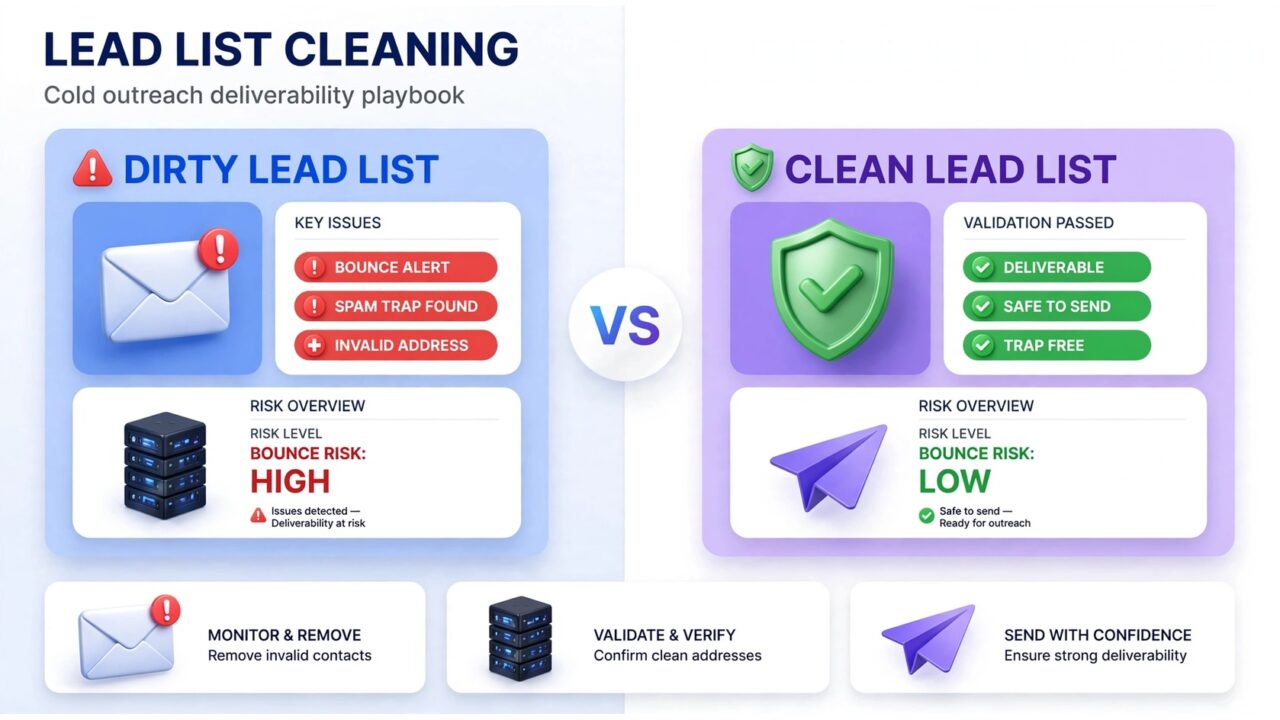
Lead list cleaning for cold outreach is the process of verifying every address on your prospect list — and removing the invalid, risky, and dormant ones — before a single cold email goes out. Clean the list right, and you stay under the 2% bounce-rate line that mailbox providers watch; skip it, and bounces, spam traps, and complaints will quietly sink your sender reputation.
This playbook covers why cold outreach lists go bad so fast, what to strip out, the verification workflow to run before every campaign, how often to re-clean, and a pre-send checklist — for SDRs, founders, and agencies at any volume.
Why cold outreach lists go bad faster than any other list
Opt-in lists degrade quietly into disengagement. Cold outreach lists degrade violently into bounces: prospect addresses stop existing, and every dead address on a cold list is a hard bounce waiting to happen.
Four forces rot a cold outreach list:
- Job churn. Contacts change companies or get laid off, and their old addresses either bounce or land with a stranger who never opted in.
- Scraped and bought data. Vendor, scraped, and exported lists mix real contacts with guessed patterns like firstname.lastname@company.com, stale records, and outright junk — plus the occasional typo from hand-typed prospecting rows.
- Catch-all domains. More corporate domains accept mail to any address. These “catch-alls” never bounce, so bad guesses slip through undetected and drag down engagement instead.
Mailercloud’s 2026 roundup notes a list untouched for a year can easily be 5–10% invalid. For cold outreach, where every address is a stranger, that decay hits harder: each campaign starts with an audience of real people and ghosts.
What “clean” actually means: the five address types to remove
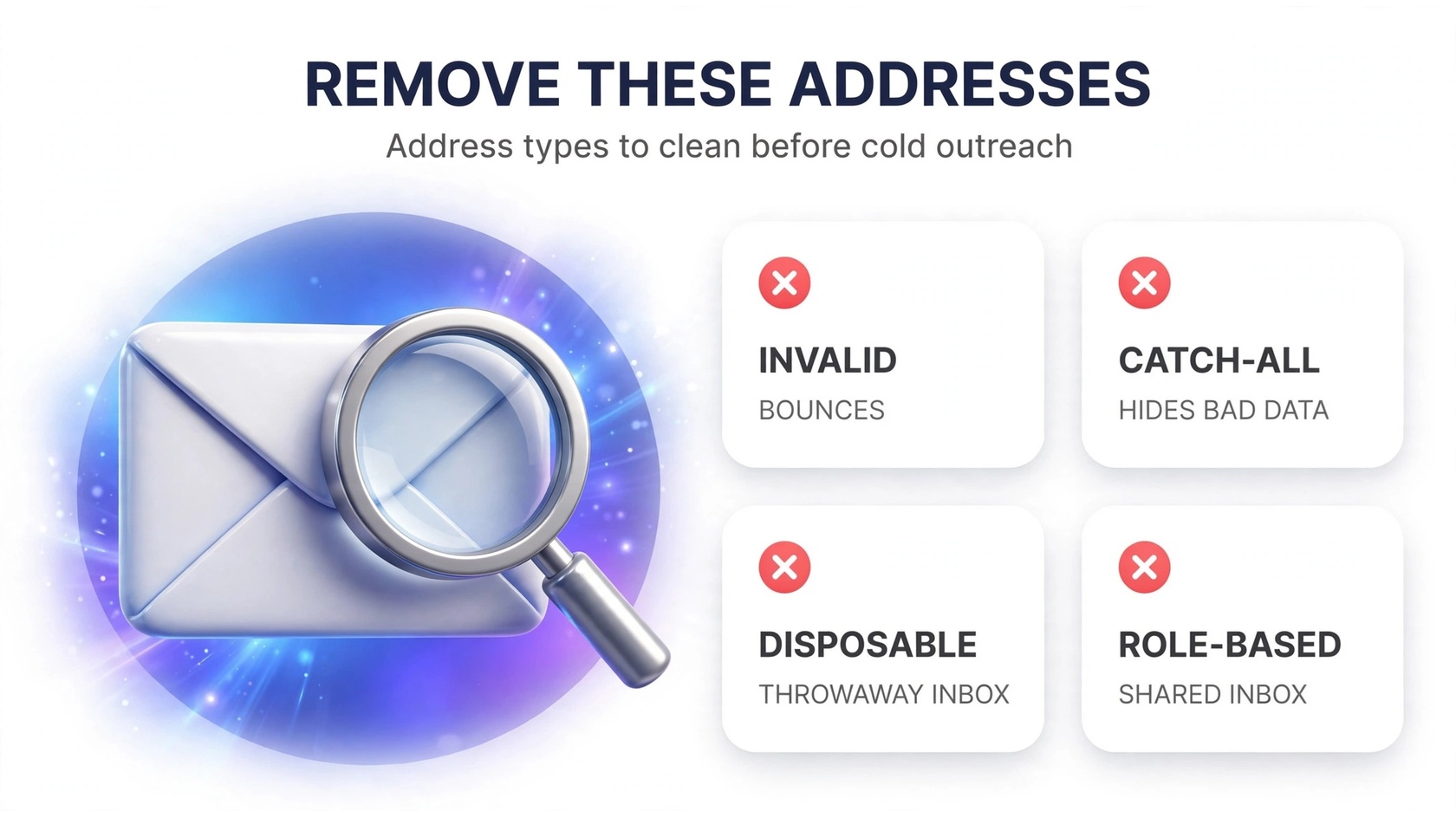
Lead list cleaning for cold outreach isn’t just deleting obvious bounces. A verifier sorts every address into categories — invalid, catch-all, disposable, role-based, spam trap — and each needs a decision:
- Invalid / hard-bounce addresses: syntax errors, dead domains, mailboxes that don’t exist. These bounce 100% of the time. Remove them always — no exceptions, no debate.
- Catch-all addresses: domains accept everything, so they never bounce — but they hide bad addresses and can harbor traps. Quarantine them: send a small test batch first and watch engagement before including them in volume.
- Disposable addresses: temporary inboxes from throwaway-email services. On cold outreach lists they usually come from bad data sources or form spam. Remove them — nobody reading mail at a disposable address is your prospect.
- Role-based addresses: info@, support@, sales@. Shared inboxes drag down reply rates and can bounce unexpectedly. Keep only ones tied to a real decision-maker’s name.
- Spam traps: addresses that never belonged to a real person — they exist to catch senders mailing scraped lists. Hitting even a few can tank your reputation for weeks. A good verifier flags them; delete those rows and review the data source.
To see how verification distinguishes “looks valid” from “actually safe to send to,” the guide on what email verification is breaks down each check a verifier runs under the hood.
The cold-outreach cleaning workflow: step by step before a campaign
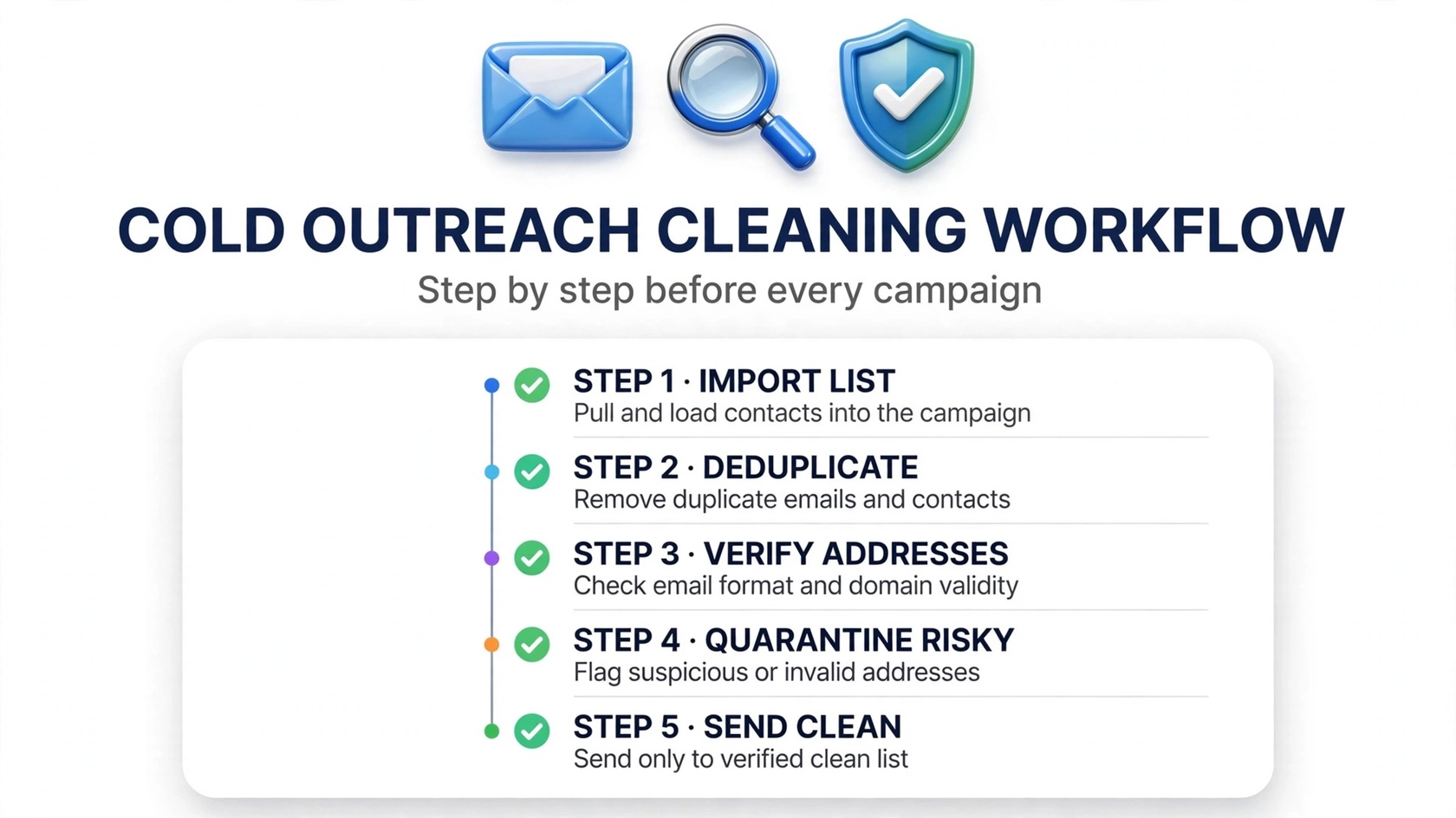
Here’s the sequence experienced outbound teams run before any campaign launch. It takes longer to describe than to do:
- Deduplicate. Strip duplicates before spending a single credit — most verifiers do this free on upload, and it stops you emailing the same prospect twice.
- Normalize formats. Trim whitespace, lowercase domains, fix obvious typos. The verifier’s syntax check catches these too, but clean formatting makes the results report easier to read.
- Bulk-verify the whole list. Upload the cleaned CSV to your verifier. PureListVerifier runs bulk checks and tags each address as deliverable, risky, or invalid — so you know exactly which rows to cut and which to quarantine.
- Segment the “risky” bucket. Catch-alls and unknown-status addresses go into a separate test segment. Run a small pilot campaign to it first — engagement from real sends is the only honest test.
- Suppress and archive. Export the final clean list back to your sequencing tool, and archive the invalid rows with the reason code. Keeping the rejects labeled (trap, disposable, invalid) tells you which data sources to stop paying for.
As Sender.net’s 2026 hands-on test shows, verifiers differ most in how they handle catch-alls and “unknown” results. For cold outreach, where corporate catch-all domains are common, that handling is the whole game.
Stop bad addresses at the source: real-time API verification
Bulk cleaning is triage; real-time verification is prevention. If your outbound machine captures addresses through lead forms, scrapers feeding your CRM, or enrichment tools, a verification API checks each one the moment it enters the system — before it ever touches your sender reputation.
Prospect lists are living documents: SDRs add contacts daily, enrichment tools append guesses weekly, new data sources plug in constantly. Without a gate at entry, a clean list is dirty again within days. A real-time API flags the address that would have bounced at capture — before it costs you a credit, a sequence slot, or a bounce.
Curious how to spot a bad address manually before trusting a tool? The walkthrough on verifying an email address without sending shows the manual checks (MX lookups, SMTP handshakes) that automation does for you at scale.
How often should cold emailers re-clean their lists?
The honest answer depends on volume and list age, but here are practical rules:
- Every new data source, every time. Bought, scraped, enriched, or list-swapped data gets verified before its first send. No exceptions — this is where spam traps hide.
- Before every major campaign: if a segment hasn’t been mailed in 60–90 days, re-verify it. A “clean from last quarter” list is a different list now.
- Quarterly for continuous senders: re-verify your full active list every 3 months to catch addresses that died while you were mailing.
- After any deliverability scare. If your open rate dropped suddenly or your bounce rate ticked up, re-verify the segment that caused it before sending again. Sending into a dirty segment while reputation is already wobbling is how accounts get suspended.
Credit-expiry policies matter here: if your verifier’s credits vanish after 12 months, scheduled re-cleans get expensive. Teams that verify on a rhythm do better with non-expiring credits.
The Google and Yahoo angle: why dirty cold lists are riskier in 2026
Since February 2024, Gmail and Yahoo have enforced bulk-sender requirements: authenticated sending (SPF, DKIM, DMARC), one-click unsubscribe, and tight spam-complaint and bounce thresholds. Providers read a high bounce rate as evidence of a scraped or bought list — which is exactly what many cold lists look like.
For cold emailers, list cleaning moved from best practice to prerequisite. A dirty list can trigger Gmail throttling that affects every campaign on the domain — including warm transactional mail. The guide on why Apollo.io emails bounce shows how enrichment-sourced lists specifically trip these filters.
And if the alphabet soup of authentication is new to you, the key email deliverability terms glossary keeps the cleaning workflow and the authentication setup speaking the same language.
Your pre-send checklist: run this before every campaign
Bookmark this. Run it every time you load a new list into your sequencer:
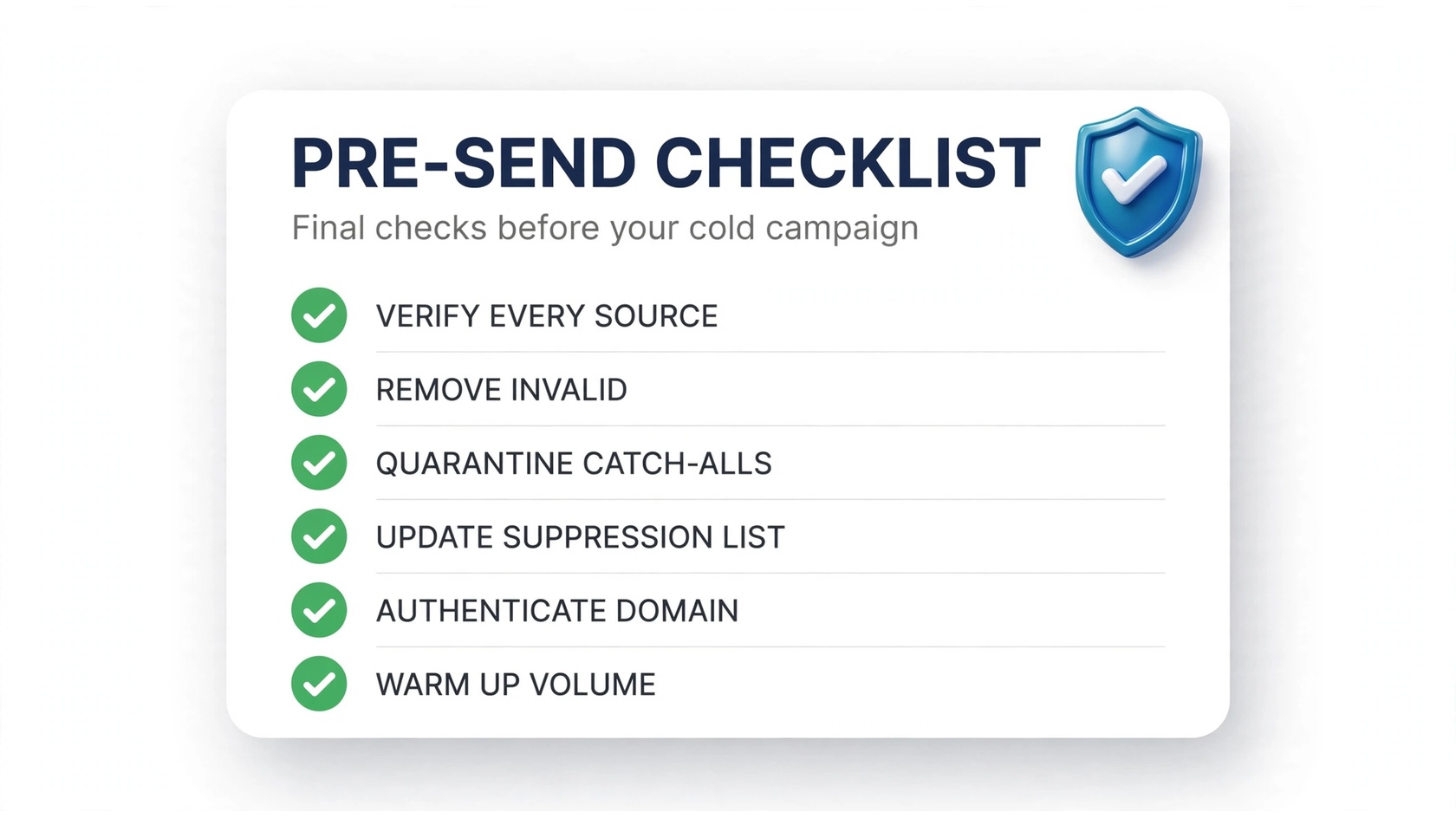
- Verify the full list: bulk-verify every address you plan to mail, so zero unverified rows enter a sequence.
- Bounce rate check: confirm the invalid + disposable share is under 2% of the send. If it’s higher, re-segment or cut harder.
- Trap and complaint-prone rows removed. Spam traps and role-based addresses are out — or at minimum excluded from the first wave.
- Catch-alls quarantined. Catch-all addresses go to a pilot segment, not the main send.
- Suppression list current. Previous bounces, unsubscribes, and complainers are excluded. Gaps here are a classic cold-outreach failure.
- Authentication green. SPF, DKIM, and DMARC are published and passing for the sending domain. Cleaning won’t save a campaign that fails authentication.
- Volume ramp planned: warm new domains and lists gradually. A clean list sent at 10x normal volume still looks like a spam burst.
- Reply-to and unsubscribe working. Cold mail still needs a working reply path and a way out. Broken reply-to addresses generate complaints.
Metrics that prove your list is actually clean
Cleaning is only as good as the numbers it produces. Watch these after every campaign:
- Hard bounce rate under 2%. Gmail and Yahoo expect bounces to stay low — cross 2% regularly and throttling follows. A properly cleaned list lands well under 1%.
- Spam complaint rate under 0.1%. Complaints come from the wrong people on your list, not the wrong addresses — but risky role-based addresses and stale contacts inflate this number too.
- Invalid-share trend. Track the invalid share of each new list. If one source consistently returns 15% invalid, that source is the problem — renegotiate or drop it.
- Catch-all engagement. If your pilot segment of catch-alls gets near-zero engagement, stop mailing them. They were guesses all along.
- Deliverability over time. Stable or rising inbox placement, campaign over campaign, is the lagging proof your cleaning workflow works. One clean campaign is luck; six in a row is process.
Notice what isn’t on this list: open rate. Opens are noisy — pixel blocking and Apple Mail privacy make them unreliable. Bounce rate, complaint rate, and placement tell the truth about list quality.
FAQs
What is lead list cleaning for cold outreach?
Verifying every prospect address before a cold campaign and removing the ones that will bounce or damage your reputation: invalid addresses, disposable inboxes, spam traps, and risky catch-all or role-based addresses. Quality control between your data source and your “Send” button.
How is lead list cleaning different from regular email verification?
The mechanics are the same; the stakes and sources differ. Cold outreach lists come from enrichment tools, scrapers, and vendors — far more guessed and stale addresses than an opt-in list. So the workflow adds catch-all quarantine segments, stricter spam-trap screening, and mandatory verification of every new data source.
Can I do cold outreach without cleaning my list?
Technically yes. Practically, it’s the fastest way to burn a domain in 2026. Gmail and Yahoo’s bulk-sender rules treat high bounce rates as evidence of scraped lists, and the throttling that follows hits all your mail — not just the cold campaigns. Cleaning is cheaper than recovering a reputation.
How much does it cost to clean a cold outreach list?
Verification is priced per address, and budget verifiers start around a few dollars per thousand. See PureListVerifier’s pricing for current rates — one blocked campaign costs far more than verifying the whole list.
Should I delete catch-all addresses from my cold outreach list?
Not automatically. Catch-all domains accept everything, so no verifier can confirm the mailbox. Quarantine them in a small pilot segment and keep only the ones that engage like real people. Near-zero engagement means guesses — drop them.
How often should I clean my cold outreach list?
Verify every new data source before its first send, re-verify any segment that hasn’t been mailed in 60–90 days, and run a full re-clean quarterly if you send continuously. Also re-verify immediately after any bounce-rate spike or deliverability incident.
Does list cleaning improve reply rates?
Indirectly. Cleaning doesn’t improve your copy — but it makes sure copy reaches real inboxes instead of bouncing or landing in spam. More prospects seeing the email is the precondition for every reply.
What’s the biggest mistake teams make with cold outreach lists?
Trusting the data source. Vendor data is sold as “verified,” but it decays from delivery day, and pattern-based guesses were never verified at all. The best teams verify everything themselves, every time — regardless of what the vendor promised.
The bottom line
Lead list cleaning for cold outreach separates campaigns that scale from domains that get burned. Remove the invalid, quarantine the risky, gate new addresses with real-time verification, and re-clean on a schedule — and your bounce rate stays where Gmail and Yahoo want it. Ready to see what’s hiding in your list? Clean it with PureListVerifier before your next campaign goes out.
