

Quick answer
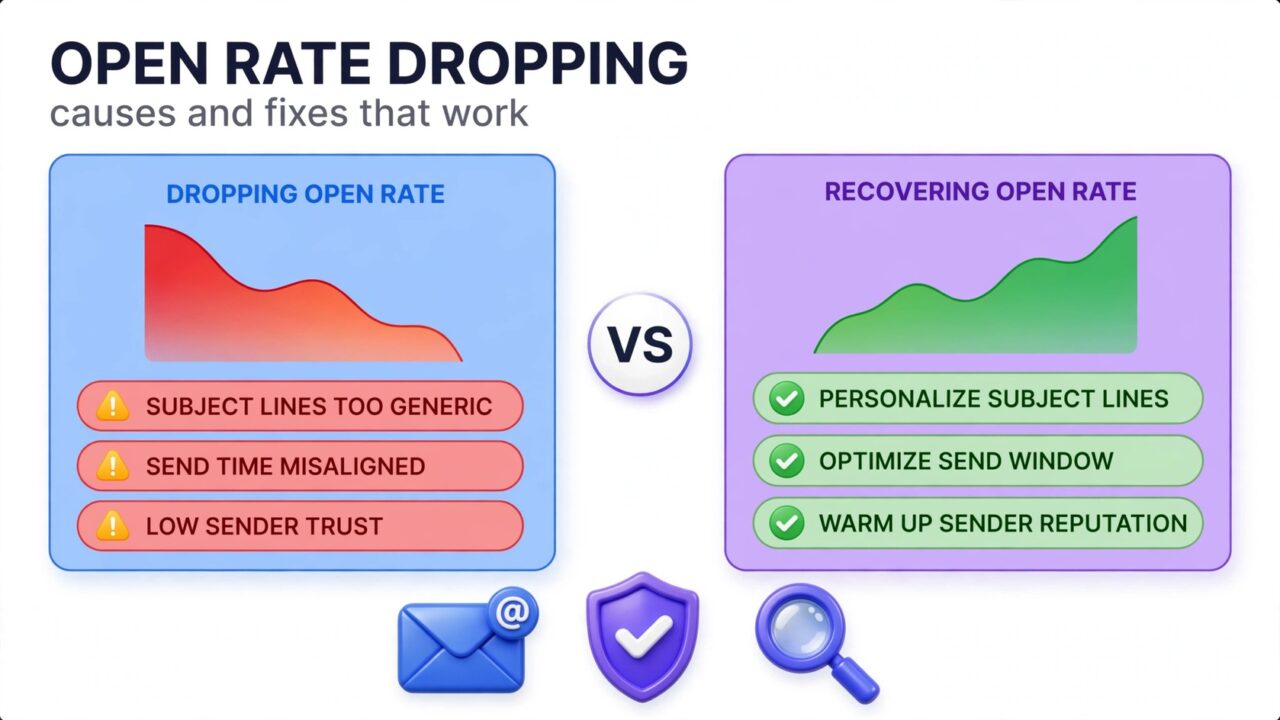
If you’re wondering why is my open rate dropping, the most common culprits are list decay (dead and abandoned addresses), Apple Mail Privacy Protection distorting your data, emails landing in spam instead of the inbox, and unengaged segments dragging down averages. The fix starts with diagnosing: compare your open trend against deliverability signals like bounces, spam complaints, and inbox placement before changing anything.
In this guide we break down 11 proven causes of declining open rates and the exact fix for each — from list hygiene and authentication to re-engagement campaigns that win back inactive subscribers.
11 reasons your open rate is dropping (and how to fix each one)
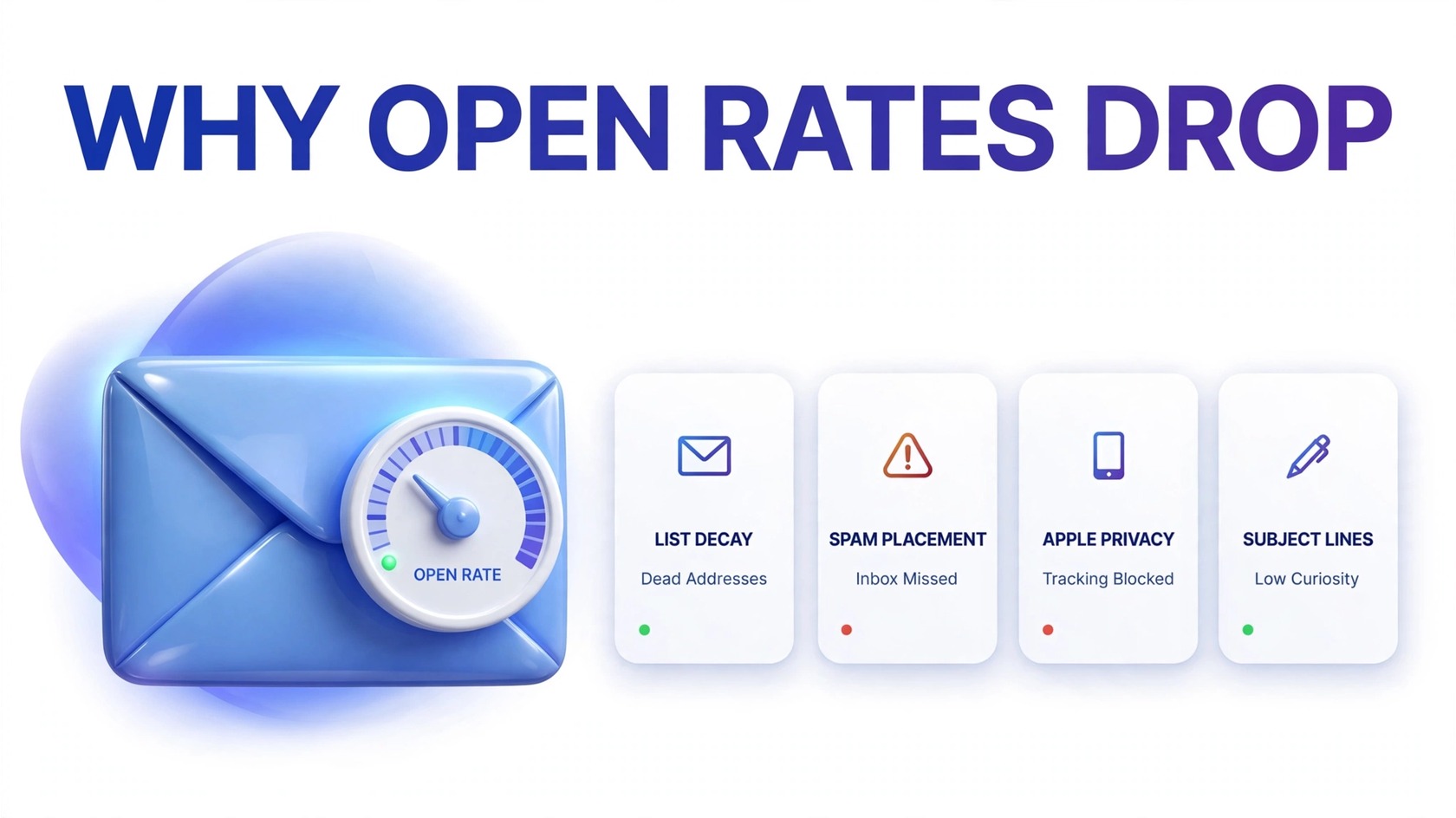
A falling open rate is a symptom, not a diagnosis. Work through these causes in order — the most frequent offenders are at the top.
1. List decay: your list is full of dead addresses
Email lists rot quietly. People change jobs, abandon old inboxes, and mistype addresses at signup — so a once-healthy list fills with addresses that never open anything. Worse, dead addresses bounce, and bounces tell mailbox providers you’re a sloppy sender, pushing even more of your mail to spam.
The fix: run your list through an email verification tool before your next big send, and schedule re-verification every few months. Remove hard bounces immediately and suppress addresses that haven’t engaged in 6–12 months. Start with a proper list-cleaning workflow that flags invalid, risky, and disposable addresses so only real subscribers get your campaigns. Not sure what verification actually does? Read what is email verification first.
2. Apple Mail Privacy Protection is distorting your data
Apple Mail Privacy Protection (MPP) preloads tracking pixels, generating “opens” that never happened. This inflates open rates for Apple-heavy lists — and as recipients shift devices or Apple’s behavior changes, your reported open rate can drop even though nothing about your sending changed.
The fix: stop treating opens as gospel. Segment your metrics by mailbox provider and watch clicks, replies, and conversions alongside opens. For a truer engagement picture, use clicks as your primary health metric and treat Apple Mail opens as directional noise rather than signal.
3. Your emails are landing in spam, not the inbox
This is the most dangerous cause. If a growing share of your mail goes to spam, your open rate collapses because spam-folder emails are rarely opened. Spam placement usually follows a reputation hit — a spike in bounces, a batch of spam complaints, or a new list source that mailbox providers didn’t trust.
The fix: run an inbox placement test before your next campaign, check your domain and IP reputation in Google Postmaster Tools, and clean your list (see cause #1). If mail is landing in spam, pause sending to cold segments and rebuild with your most engaged subscribers first. Here’s a full breakdown of what happens when your emails get marked as spam and how to dig out of it.
4. Weak subject lines (and identical-looking campaigns)
If every subject line follows the same template — “Weekly Update #47”, “Newsletter: March” — subscribers learn to ignore you. Repetitive, generic formats train recipients to skip, dragging the open rate down campaign after campaign.
The fix: write subject lines that promise one specific thing. Front-load the benefit, keep it under 50 characters for mobile, and A/B test one variable per campaign on 10% of your list before sending the winner to the rest.
5. Send-time drift: you’re sending when nobody checks email
Open rates follow daily and weekly rhythms. If your send time drifted — or your audience’s work patterns changed — fewer people see your email near the top of their inbox, and older emails get buried.
The fix: test send times systematically over 3–4 weeks, or use your ESP’s send-time optimization feature, which learns when each subscriber typically opens. Your own data beats generic “industry best times” every time.
6. Unengaged segments are drowning your averages
Averages lie. If a chunk of your list hasn’t opened anything in months, they’re pulling the whole list’s open rate down — and mailbox providers notice that your mail consistently gets ignored, which hurts your sender reputation for everyone.
The fix: segment ruthlessly. Separate engaged subscribers (opened in the last 60–90 days) from the inactive, and send your best content only to the engaged group first. Then run a dedicated win-back sequence for the inactive group (see cause #11). For a proven playbook, read how to win back subscribers who stopped opening your emails.
7. Frequency fatigue: you’re sending too much (or too little)
Too many emails and subscribers tune out or hit the spam button; too few and they forget who you are. Both directions of fatigue show up as a slow open-rate decline.
The fix: ask subscribers directly. Add a preference center where they choose frequency (weekly, monthly), and honor it. Watch unsubscribe and complaint rates after any frequency change — rising complaints mean you overshot.
8. Missing or broken email authentication (SPF, DKIM, DMARC)
SPF, DKIM, and DMARC are the ID checks that prove your emails really come from you. Without them — or with a misconfigured record — mailbox providers can’t verify your identity and your mail is far more likely to land in spam. This cause often appears suddenly after a domain or DNS change.
The fix: verify all three records with a free authentication checker, and publish a DMARC policy (start with p=none to monitor, then tighten). If you recently changed DNS providers, ESPs, or sending domains, re-check your records. Our guide to sudden open-rate drops walks through the diagnostic order for cases like this.
9. Gmail’s bulk-sender rules are throttling you
Gmail and Yahoo enforce stricter rules for bulk senders: authenticated mail, low spam complaint rates, and easy one-click unsubscribe. Senders that violate these rules get throttled or bulk-rejected — and throttled mail arrives late or lands in spam, cratering opens on the biggest mailbox providers.
The fix: keep your spam complaint rate low, make sure every bulk email includes one-click unsubscribe, and monitor Google Postmaster Tools for spam-rate spikes.
10. Inconsistent sender identity: subscribers don’t recognize you
If your “from” name keeps changing — sometimes a person’s name, sometimes the brand, sometimes “noreply@” — subscribers can’t build the recognition habit that drives opens.
The fix: pick one from-name and stick with it. Keep the same reply-to address, and set up BIMI with your logo so subscribers see a verified brand mark in supporting inboxes.
11. You have no re-engagement strategy for going cold
Subscribers naturally go quiet over time. Without a process to win them back, your list quietly converts from engaged to dead, and the open rate trends down quarter after quarter.
The fix: build an automated re-engagement sequence: after 90 days of no opens, send a “we miss you” email with your best offer; follow up once more a week later; if they still don’t engage, suppress them from regular campaigns. For the full framework, see our win-back playbook.
Diagnostic checklist: find the real cause before you fix anything
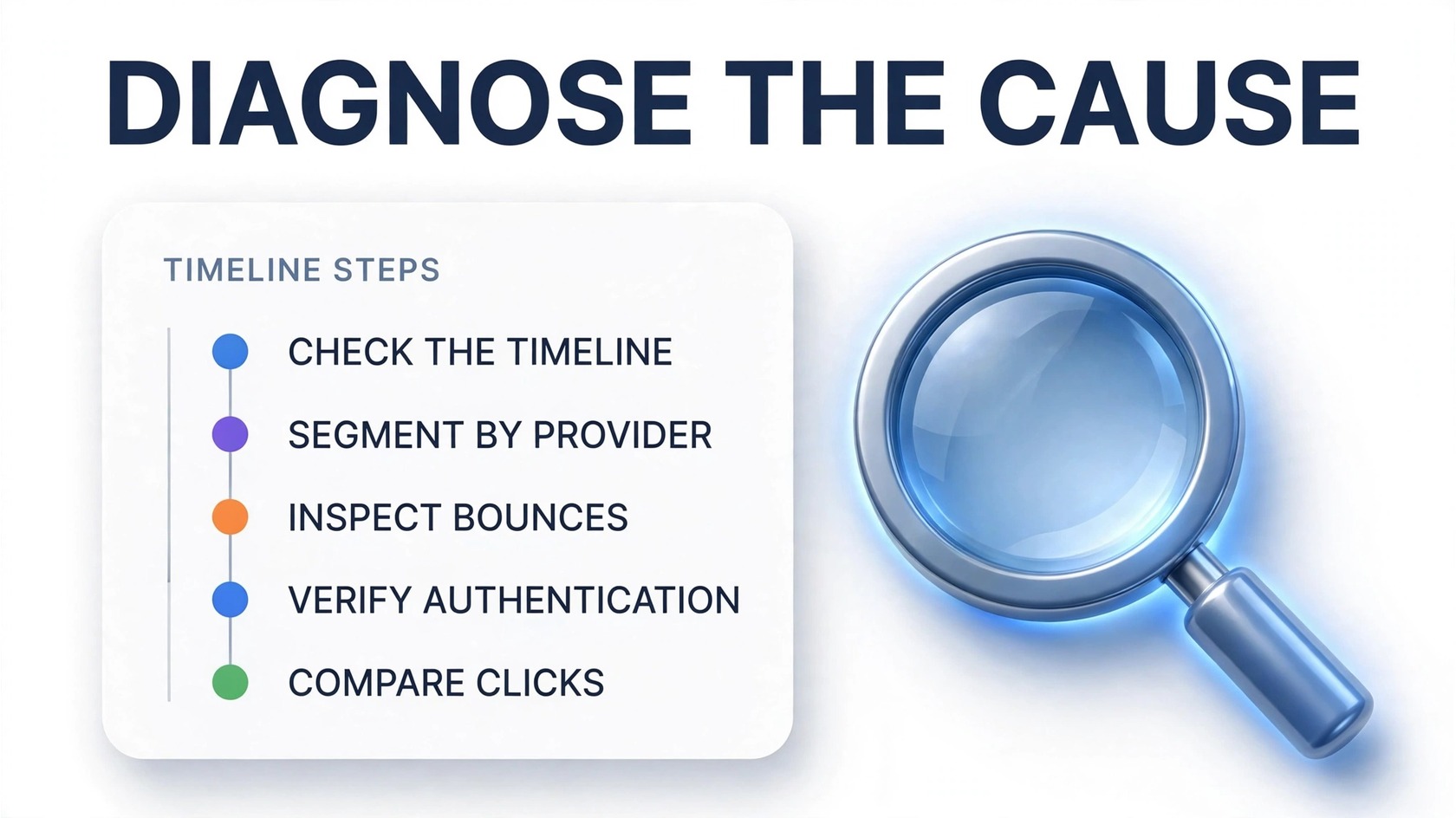
Run this checklist in order — each step either confirms or rules out a cause:
- Check the timeline. Was the drop sudden (days) or gradual (months)? Sudden drops point to authentication breaks, DNS changes, new list sources, or blocklisting. Gradual declines point to list decay, fatigue, or Apple MPP shifts.
- Segment by mailbox provider. If the drop is concentrated in Gmail or Outlook, suspect reputation issues. If it’s across all providers, suspect content or list-wide decay.
- Look at bounces and complaints. Rising hard bounces confirm list decay — clean the list first. Rising spam complaints confirm relevance problems — fix content and targeting.
- Verify authentication. Check SPF, DKIM, and DMARC records for your sending domain. If anything fails or is missing, fix it before anything else.
- Check domain and IP reputation. Google Postmaster Tools shows your domain reputation and spam rate; a damaged reputation explains broad, stubborn drops. See our guide to domain reputation vs IP reputation.
- Audit your last 10 subject lines. If they’re repetitive or generic, content fatigue is part of the story.
- Compare opens against clicks. If clicks held steady while opens fell, the problem is likely Apple MPP measurement noise — not real engagement loss.
Most senders find the answer by step 3.
How to recover a dropping open rate, step by step
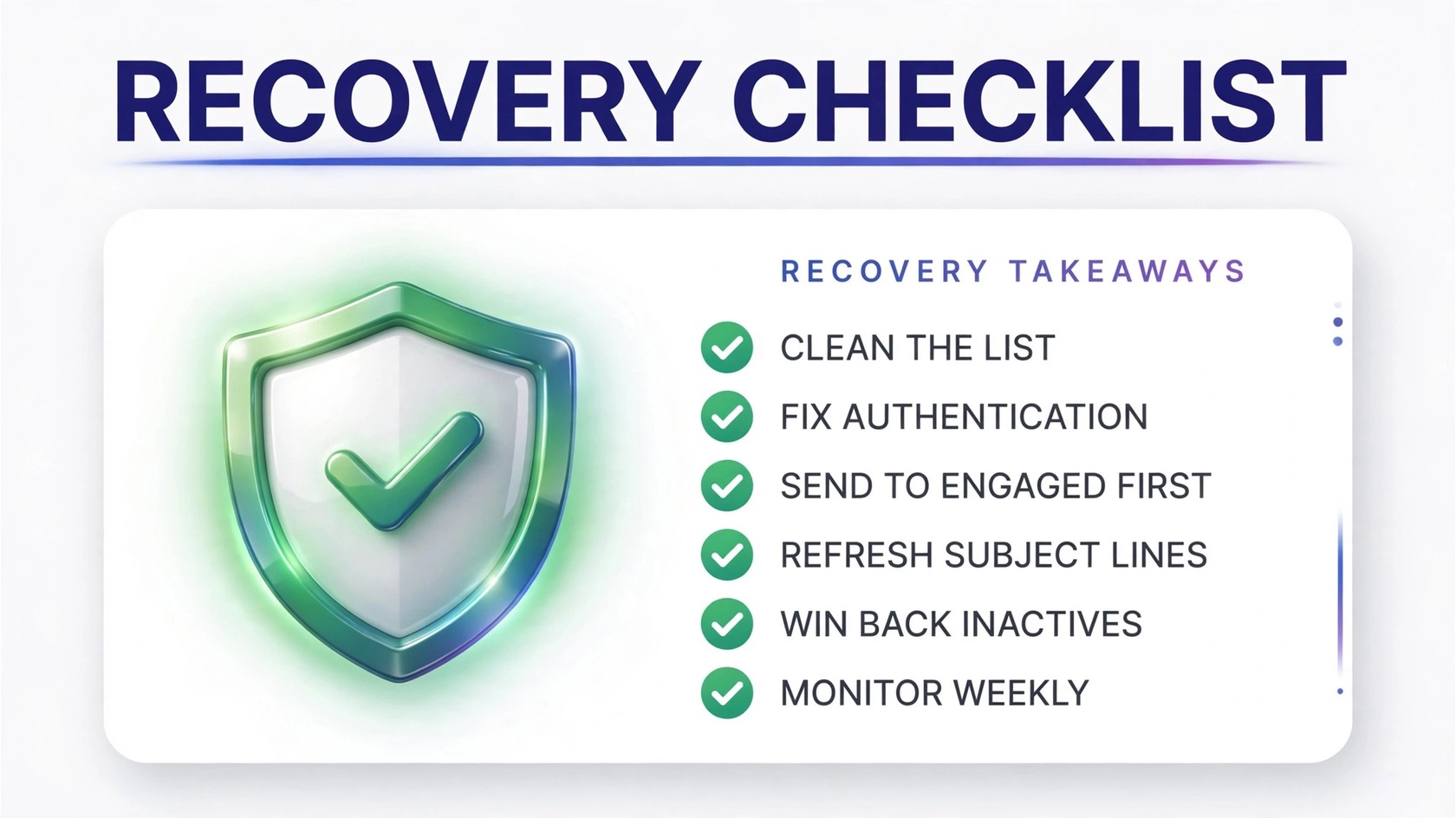
Once diagnosed, recovery follows a clear sequence. Order matters:
- Stop the bleeding: pause sends to unengaged segments immediately. Mailing dead addresses while your reputation is damaged makes everything worse.
- Clean the list: verify and remove invalid addresses, then suppress non-openers from the last 6–12 months. A smaller, real list always outperforms a large, dead one. PureListVerifier flags invalid and risky addresses for you — see pricing for current plans.
- Fix authentication: confirm SPF, DKIM, and DMARC are all passing, and publish a DMARC policy if you haven’t.
- Rebuild with engaged subscribers: send your next 2–3 campaigns only to subscribers who opened in the last 60 days. Positive engagement signals tell mailbox providers your mail is wanted.
- Refresh your content: rewrite your subject-line approach, tighten your preview text, and make the first screen of every email earn the open.
- Win back the inactives: run the re-engagement sequence from cause #11 on suppressed subscribers — and permanently remove those who don’t respond.
- Monitor weekly: watch opens, clicks, bounces, and spam complaints together. One metric alone will mislead you; the four together tell the truth.
Independent comparisons of verification tools — like Sender.net’s hands-on 2026 comparison and Mailercloud’s 2026 service roundup — show that list hygiene is the highest-ROI step in this sequence.
FAQs
Why is my open rate dropping even though I didn’t change anything?
Lists decay and measurement changes without you doing a thing: addresses go dead, Apple Mail Privacy Protection skews open data, and mailbox providers quietly tighten filtering. Check bounces, spam complaints, and authentication first.
What is a good open rate in 2026?
It depends on your industry, list quality, and Apple Mail share (MPP inflates opens). Rather than chasing a universal benchmark, track your own trend — a healthy list shows stable or rising opens over time.
Can a bad email list lower my open rate?
Yes — it’s the most common cause. Dead addresses bounce, bounces damage your sender reputation, and damaged reputation pushes your mail to spam where it’s never opened. Regular cleaning breaks this cycle.
Does Apple Mail Privacy Protection lower open rates?
It distorts them: MPP preloads tracking pixels, inflating opens for Apple Mail users. When that inflated data shifts, your reported open rate can drop without any real change in engagement. Compare opens against clicks for the real picture.
How do I know if my emails are going to spam?
Run a seed-list inbox placement test, check Google Postmaster Tools for your domain reputation, and watch for sudden drops concentrated in one provider. If engagement fell off a cliff overnight, spam placement is the prime suspect.
How often should I clean my email list to protect open rates?
Re-verify your full list every 3–6 months and suppress subscribers who haven’t opened in 6–12 months. Always clean before major campaigns and after importing new list sources.
Will sending less frequently improve my open rate?
Often, yes — if you’re over-sending. Lower frequency means fewer complaints, better reputation, and better inbox placement. Test it: cut frequency for half your list for a month and compare.
The bottom line
A dropping open rate is usually a mix of list decay, spam placement, and engagement drift. Diagnose before you act: check bounces and complaints, verify authentication, and compare opens against clicks to rule out measurement noise. Then clean the list and rebuild with engaged subscribers.
The cheapest fix with the biggest payoff is almost always list cleaning. Try PureListVerifier to find the dead and risky addresses dragging your open rate down — before they cost you the inbox.
