

What Email List Segmentation Really Means
If you send the same email to your entire list, you are speaking to everyone and to no one at the same time. A new subscriber who signed up yesterday does not need the same message as a customer who has bought from you five times. A reader who opens every email does not need the same nudge as someone who has ignored your last ten campaigns. Segmentation is the practice of splitting your list into smaller groups so each group gets a message that fits its situation.
Segmentation is not about collecting more data for its own sake. It is about using the information you already have to make each send more relevant. When a message matches what the reader actually cares about, it gets opened more often, clicked more often, and marked as spam less often.
Why Sending to Everyone Hurts Results
Batch-and-blast sending creates two problems. The first is irrelevance. A promotion for a product someone already bought feels careless. A beginner guide sent to an advanced user feels like a waste of time. Readers learn to ignore messages that do not fit them, and once that habit forms, it is hard to reverse. If your open rates have been sliding, our guide on why your open rate is dropping covers the common causes and the checks to run first.
The second problem is deliverability. Mailbox providers watch how recipients react to your mail. When a large share of recipients ignore, delete, or report your messages, that is a negative signal. Over time, more of your mail lands in spam, even for the readers who wanted it. Segmentation protects deliverability because it sends fewer mismatched messages, which keeps complaints and ignores down.
The 8 Email List Segmentation Strategies
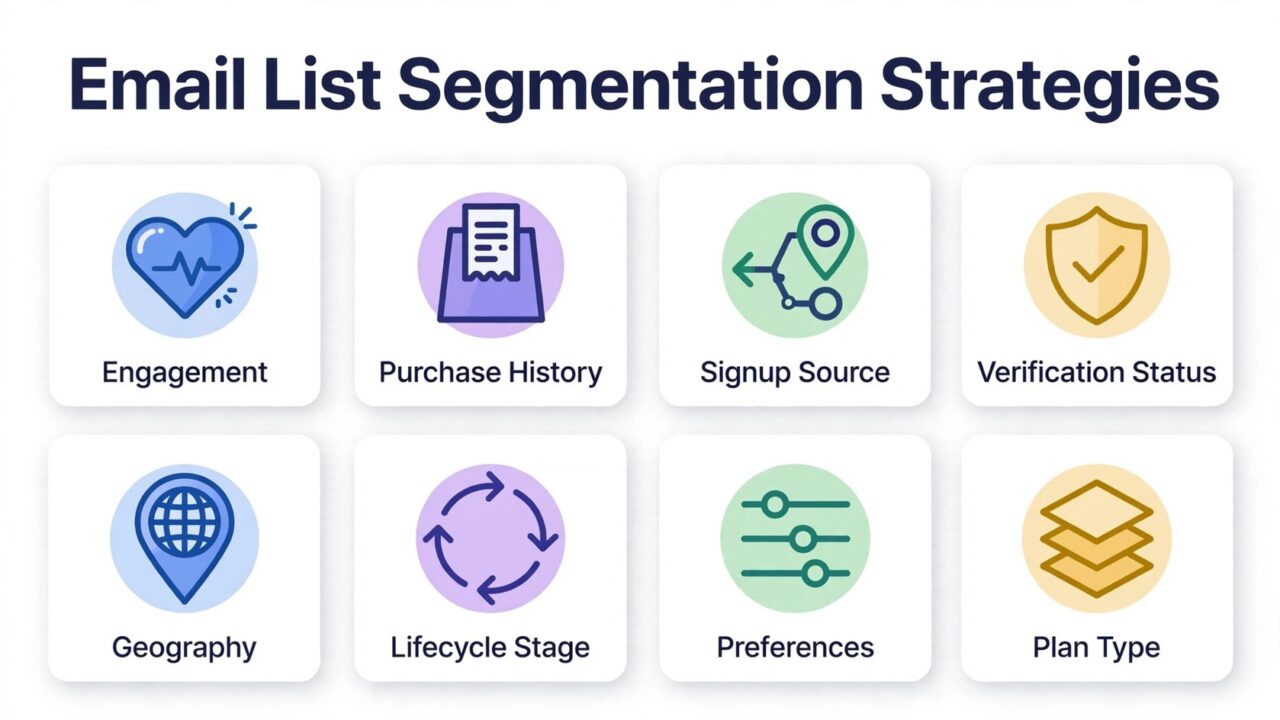
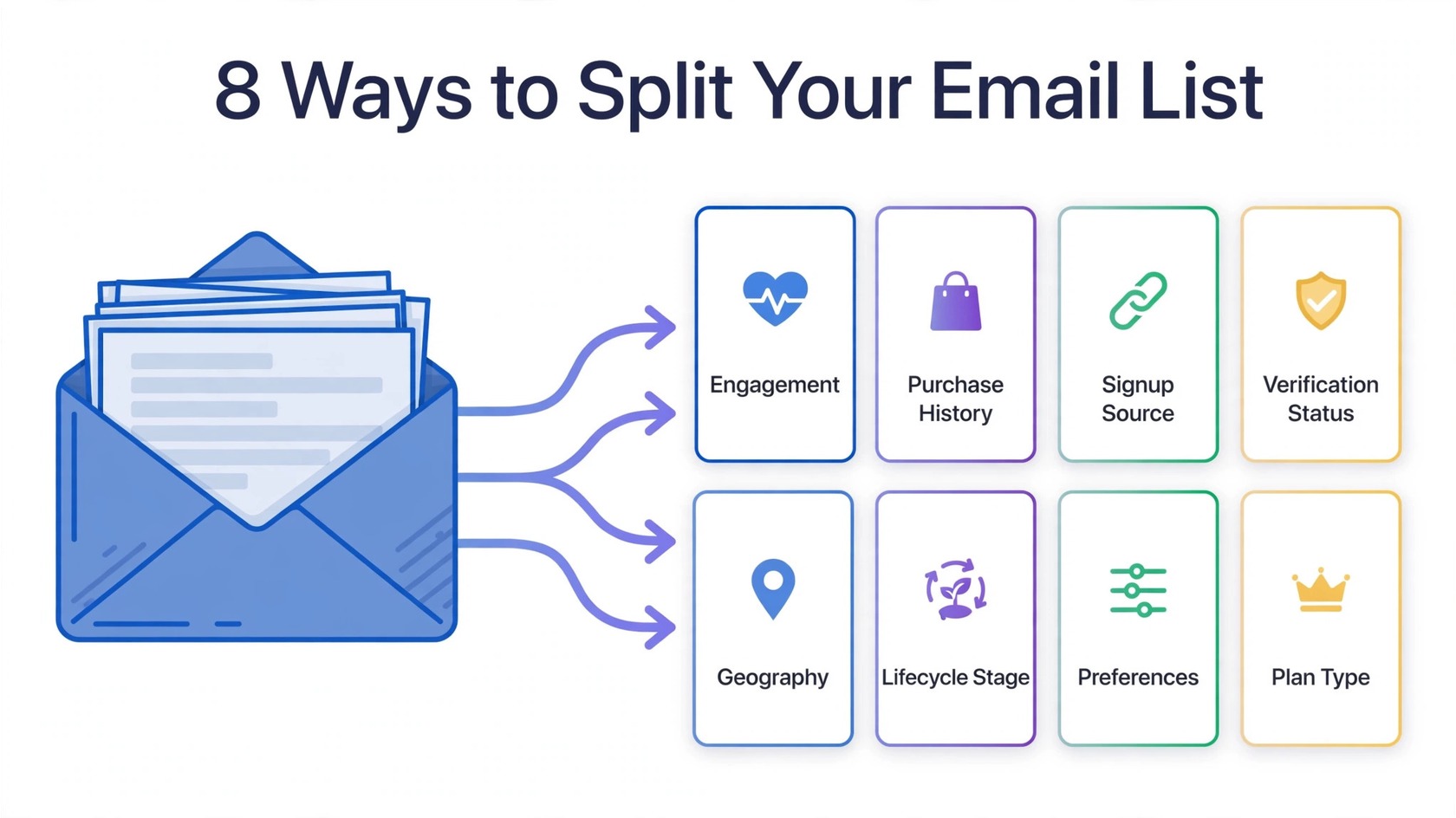
Start with the segments that change what you send. Each strategy below includes what to split on, what to send differently, and one practical rule to keep it working. You do not need all eight on day one. Pick two or three, run them well, and add more as your list grows.
1. Engagement Level
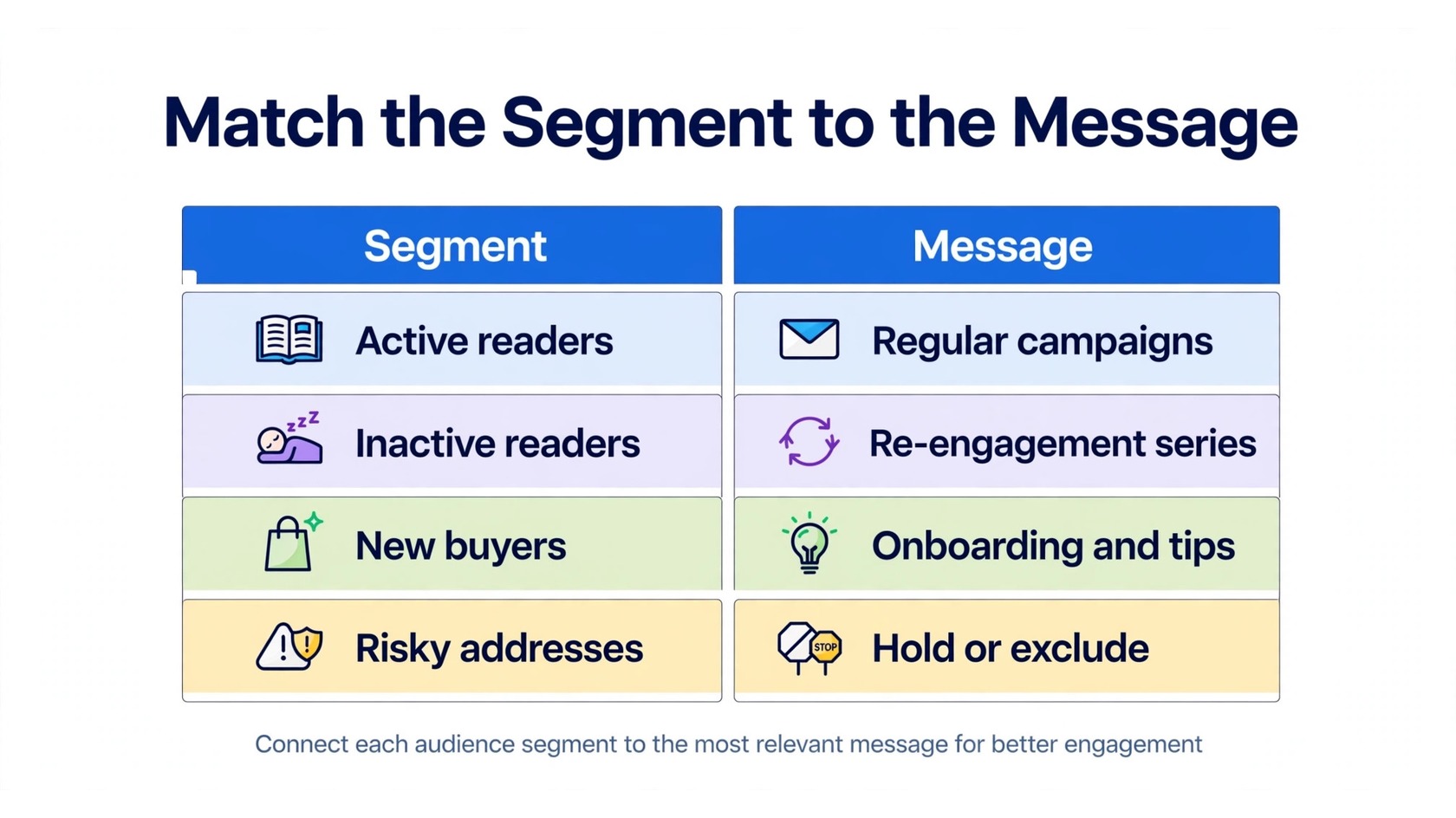
Engagement is the most useful split for most senders. Divide subscribers by how recently they opened or clicked: active in the last 30 days, active in the last 31 to 90 days, and inactive for more than 90 days. Active readers can receive your regular campaigns. The middle group benefits from a reminder of the value you offer. The inactive group needs a re-engagement series, not another standard promotion.
Engagement segments also protect your sender reputation. Mailing repeatedly to people who never open is one of the fastest ways to damage deliverability. Our guide on re-engagement email examples shows message patterns that give inactive subscribers a clear reason to come back.
2. Purchase History
What someone bought tells you more than any demographic field. Split buyers by what they purchased, how recently, and how often. A first-time buyer needs onboarding, usage tips, and reassurance that they made a good choice. A repeat buyer is ready for complementary products, upgrades, or a loyalty offer. Someone who bought once and never returned may need a check-in that asks what went wrong.
Purchase history also tells you what not to send. Do not promote a product to someone who already owns it, unless the message is about getting more from it. Do not offer a first-purchase discount to a long-time customer.
3. Signup Source
Where a subscriber came from shapes what they expect. Someone who joined from a checkout page already knows your product. Someone who joined from a lead magnet, a webinar, or a blog post may know very little about it. Someone who entered through a giveaway may only be interested in free offers. Sending the same welcome sequence to all three groups ignores these differences.
Track the source at signup and store it as a field on the contact record. Then build one welcome path per major source. A checkout subscriber can go straight to product guidance. A content subscriber should get an introduction to what you sell and why it matters. If you are still growing your list, our guide on how to build an email list from scratch explains how to set up signup sources that stay clean from the start.
4. Verification Status
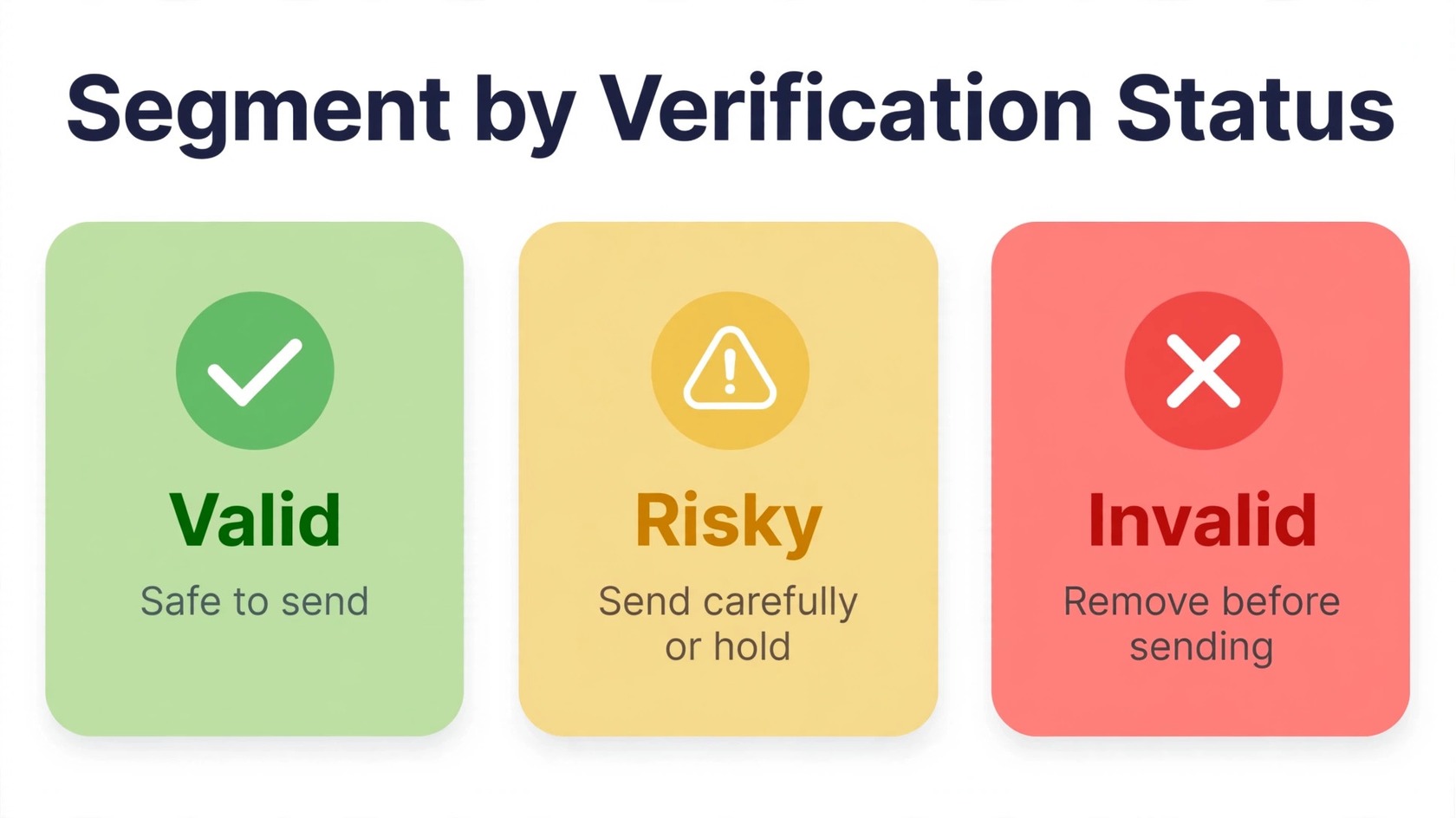
Verification status is the segment most senders skip, and it is one of the most important. Every address on your list falls into a category: valid, risky, or invalid. Valid addresses are safe to mail. Invalid addresses will bounce and should never receive a campaign. Risky addresses include catch-all domains, disposable addresses, and role-based inboxes such as info or support. These may accept mail, but they carry higher bounce, complaint, and spam trap risk.
Segment by verification status before every large send. Mail your core campaigns only to verified valid addresses. Hold risky addresses for a separate, smaller send, or exclude them from promotional mail entirely. Remove invalid addresses immediately. This one habit does more for deliverability than almost any content tweak. You can check addresses and review results on the features page, and review pricing on the pricing page.
5. Geography and Time Zone
Location affects timing, language, currency, and relevance. A promotion that starts at 9 a.m. in New York arrives at 2 p.m. in London and at 9 p.m. in Singapore. Sending by time zone means each group receives the message at a sensible hour instead of in the middle of the night. Most email platforms let you schedule by the subscriber’s time zone, which makes this segment easy to maintain.
Geography also affects the offer itself. Seasonal products, shipping windows, local events, and regional pricing all vary by location. If your business serves more than one country, build at least one segment per major region.
6. Lifecycle Stage
Subscribers move through stages, and your messages should move with them. A common lifecycle is prospect, new subscriber, first-time buyer, repeat buyer, and lapsed customer. A prospect needs education and trust building. A new subscriber needs a clear introduction to what you offer. A first-time buyer needs onboarding and support. A repeat buyer is ready for deeper offers. A lapsed customer needs a reason to return.
Define the stages in writing and move people between them automatically when their behavior changes. A subscriber moves to the next stage when they take a defined action, such as making a purchase, and moves back when they go quiet for a set period. Review the rules every quarter so they stay aligned with how your business actually works.
7. Preferences and Interests
Ask subscribers what they want, then respect the answer. Preference data can come from a signup form, a preference center, or behavior such as which links they click. If a subscriber only opens your product updates and never your blog digests, that is a preference signal. If they click on one product category and ignore the others, that is a preference signal too.
Preferences reduce unsubscribes because they give people control. A subscriber who can choose fewer emails or a different topic is less likely to leave entirely. Keep your preference center simple, with a handful of clear choices such as topics and frequency.
8. Plan, Tier, or Account Type
If you sell subscriptions, memberships, or tiered products, segment by plan or account type. Free users need education about what the paid plan adds. Paying customers need feature updates and support, not sales pitches for the plan they already have. Enterprise or team accounts may need a different contact and a different call to action than individual users.
Plan-based segments also prevent embarrassing mistakes. Nothing damages trust faster than an upgrade offer sent to someone who upgraded last week, or a renewal reminder sent to someone who already renewed. Connect your email platform to your billing or CRM system so plan changes update the segment automatically.
How to Combine Segments Without Overcomplicating
Combining segments is powerful, but it can quickly become unmanageable. If you combine five dimensions with three values each, you get dozens of micro-segments that no small team can maintain. The rule is simple: combine segments only when the combination changes the message. If two groups would receive the same email anyway, keep them as one group.
A practical pattern is to use one primary segment and one modifier. Engagement is a good primary segment, because it changes frequency and tone. Purchase history, verification status, or lifecycle stage works well as a modifier, because it changes the content. Mailchimp’s segmentation guide and HubSpot’s segmentation guide both make the same point in different words: start simple, measure what happens, and add complexity only when it earns its keep.
A Simple Weekly Segmentation Workflow
Segmentation fails when it is a one-time project. It works when it becomes a routine. A short weekly workflow keeps your segments accurate without taking much time. First, verify new addresses and remove invalid ones. Second, check your engagement segments and move people who have gone quiet into the re-engagement group. Third, confirm that any new products, pages, or signup sources have matching segments before the next campaign goes out.
Fourth, review one segment in depth each week. Look at its open and click behavior, check whether the messages still fit, and update the rules if they do not. Lists decay over time, and our guide on email list decay rate explains why addresses go stale and how to slow the loss.
Common Segmentation Mistakes
The first mistake is segmenting on data you cannot trust. If your signup forms allow typos, if imports overwrite fields, or if verification never happens, your segments will be wrong no matter how clever the strategy is. Clean data comes first.
The second mistake is creating segments you never use. A segment that does not change what you send is just a label. Audit your segments every few months and delete the ones that have not influenced a campaign. The third mistake is over-segmenting to tiny groups. A segment with twenty people rarely justifies a custom campaign. Combine small groups until each segment is large enough to be worth a tailored message.
The fourth mistake is forgetting suppression. Segmentation is not only about who receives a message. It is also about who should not. Always suppress invalid addresses, unsubscribes, recent complainers, and anyone who asked to stop hearing from you.
Frequently Asked Questions
What is email list segmentation?
Email list segmentation is the practice of dividing your subscriber list into smaller groups based on shared traits, such as engagement, purchase history, signup source, verification status, geography, lifecycle stage, preferences, or plan type. Each group then receives messages that fit its situation.
What are the best ways to segment an email list?
The most useful starting points are engagement level, purchase history, signup source, and verification status. These four change what you send and protect deliverability. Add geography, lifecycle stage, preferences, and plan type as your list grows.
How does segmentation improve open rates?
Segmentation improves open rates by sending more relevant messages to each group. When the subject line and content match what the reader cares about, the reader has a reason to open. It also helps by reducing sends to people who never engage, which keeps complaints low and protects deliverability, so more mail reaches the inbox in the first place.
Should I segment by verification status?
Yes. Verification status is one of the most important segments. Mail core campaigns to verified valid addresses, hold or exclude risky addresses such as catch-all and disposable inboxes, and remove invalid addresses before they can bounce. This keeps bounce rates low and protects your sender reputation.
How often should I update my segments?
Update engagement and verification segments weekly, because behavior and deliverability change constantly. Review your segment rules and definitions every quarter. Delete segments that no longer change what you send, and combine groups that have become too small to justify a tailored message.
