

Quick answer
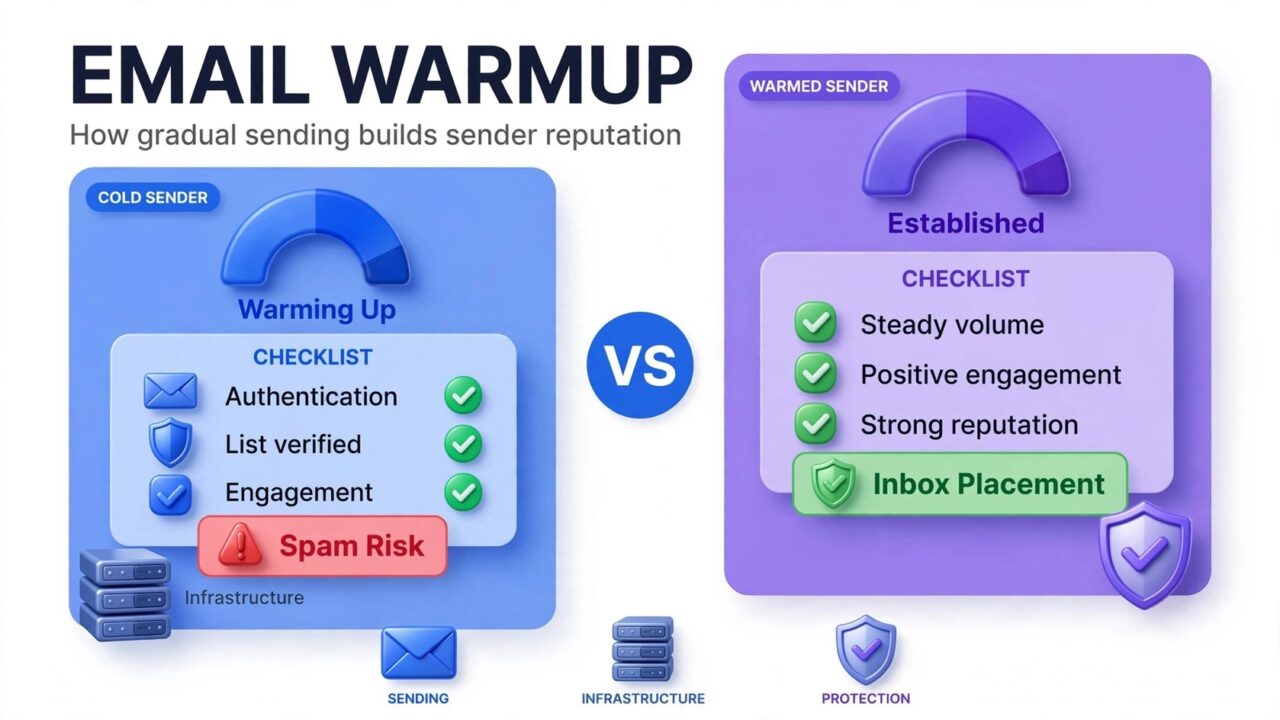
So how does email warmup work? It’s the process of gradually increasing sending volume from a new domain or IP address so mailbox providers learn to trust you. Instead of blasting thousands of emails on day one, which looks exactly like spam, you start small, collect positive engagement (opens, clicks, replies), and ramp up slowly. Over a few weeks, that track record builds your sender reputation, and your emails start landing in the inbox instead of spam.
This guide breaks down the mechanics: what mailbox providers measure during warmup, how long it takes, how to warm up a new domain or new IP, what warmup tools and pools actually do, the mistakes that wreck a warmup, and why verifying your list before warming up matters so much.
How does email warmup actually work?
Every email you send gets a quiet background check: your sending domain, your IP address, whether your authentication (SPF, DKIM, DMARC) passes, and, most importantly, how recipients react. A new domain or IP has no history and therefore no reputation. Providers treat unknown senders with suspicion by default, because most brand-new infrastructure blasting huge volumes overnight belongs to spammers.
Warmup works by giving providers a calm, orderly history to judge you on:
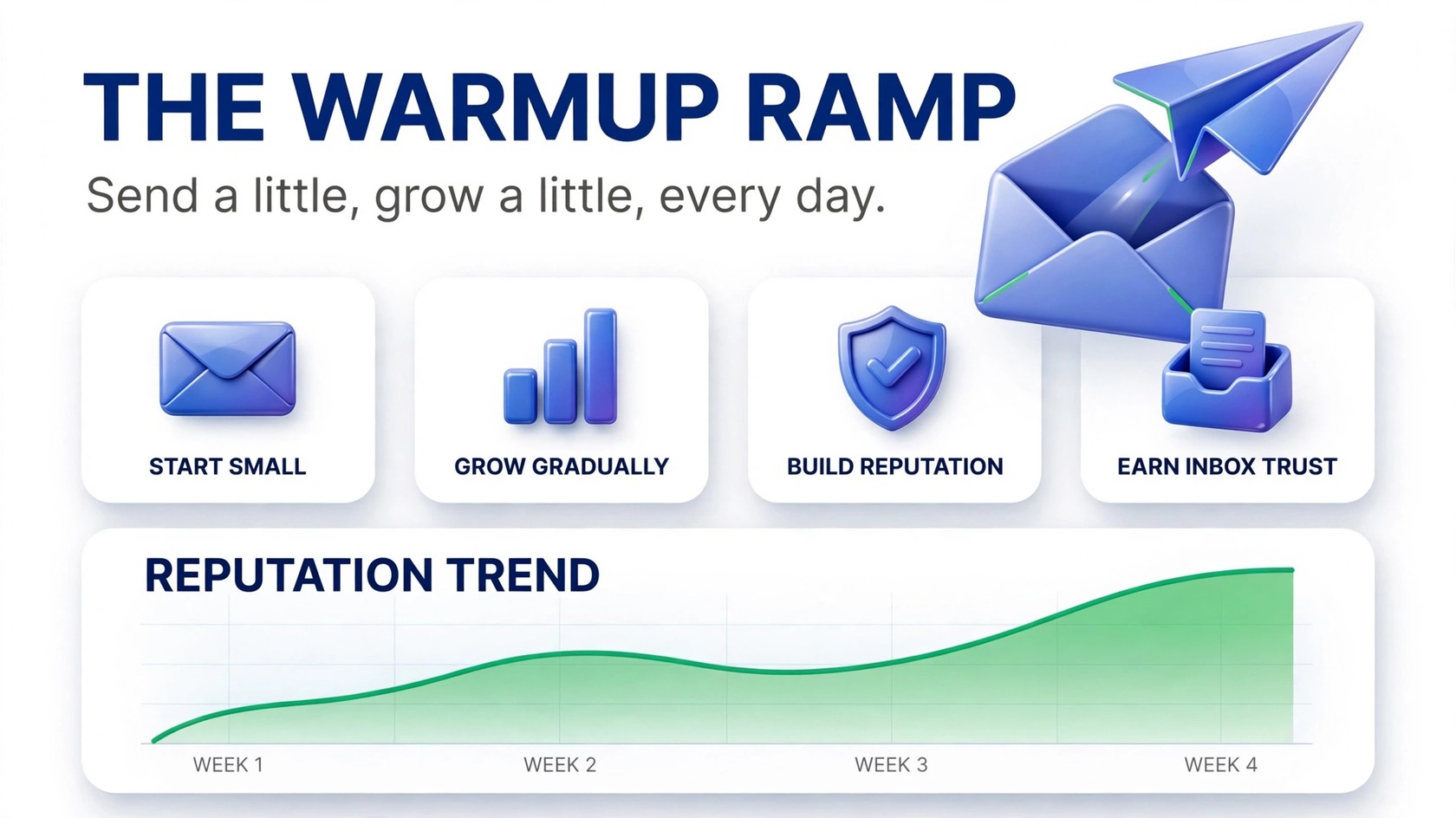
- Gradual volume ramp: begin with small daily sends and increase steadily over days and weeks. A smooth upward curve says “legitimate sender growing a business.” A vertical spike says “spam cannon.”
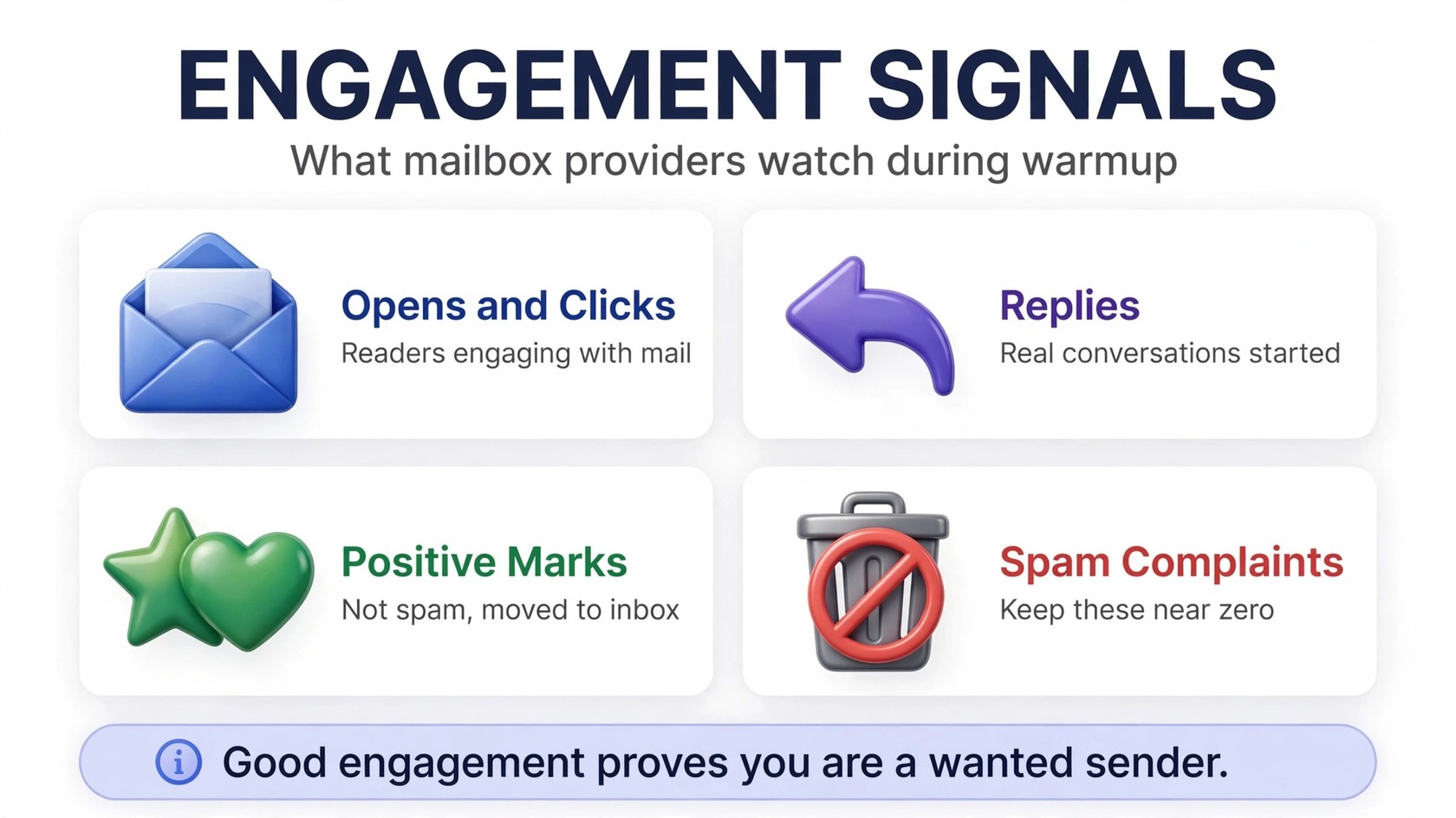
- Engagement signals: opens, clicks, replies, and “not spam” votes are the strongest positive votes a sender can earn, proof that real humans want your mail.
- Negative-signal avoidance: keep bounces, spam complaints, and unsubscribes to a minimum. A new sender generating complaints is the fastest way to get throttled or filtered.
- Reputation accrual: providers accumulate these signals into separate domain reputation and IP reputation scores. Good behavior compounds, and so does bad.
What mailbox providers are really measuring
Providers don’t publish their exact filter recipes, but their official guidelines make the ingredients clear. During warmup, they’re answering one question: are you who you claim to be, and do recipients want your mail?
- Authentication: SPF and DKIM (plus DMARC for higher volumes) prove your mail genuinely comes from your domain. Google’s official email sender guidelines require authentication for all senders. Warming up without it is like applying for a passport without ID.
- Bounce behavior: a wave of hard bounces says your list is stale, purchased, or scraped, one of the earliest red flags a new sender can trigger.
- Spam complaints: the single most damaging negative signal. Every “report spam” click is direct evidence your mail wasn’t wanted.
- Engagement patterns: opens, clicks, replies, forwards, and inbox moves all feed the trust calculation.
- Volume consistency: steady, predictable sending earns trust; erratic spikes followed by silence look automated and suspicious.
New to this vocabulary? Our glossary of email deliverability terms explains each one in plain language.
How long does email warmup take?
No major mailbox provider publishes an official warmup duration, anyone offering a guaranteed timeline is oversimplifying. In practice, warming up a brand-new domain takes a few weeks of consistent, gradually increasing sending before you can operate at full volume with confidence. A new dedicated IP on an established domain can move somewhat faster, since the domain already carries reputation, but it still needs its own ramp.
Several factors stretch or shrink the timeline. List quality matters most: engaged, opted-in subscribers generate positive signals fast, while a cold or unverified list generates bounces and complaints that stall the process. Consistency matters too, daily, steadily growing volume builds history quickly; random blasts slow it down. Authentication removes friction from the start, and one bad campaign in the first weeks can set your reputation back dramatically.
Warm up as long as it takes to reach full volume in smooth increments, reputation is earned slowly and lost quickly.
How to warm up a new domain the right way
A new domain is the classic warmup scenario, a fresh domain for outreach, a rebrand, or a dedicated subdomain. Follow these steps in order:
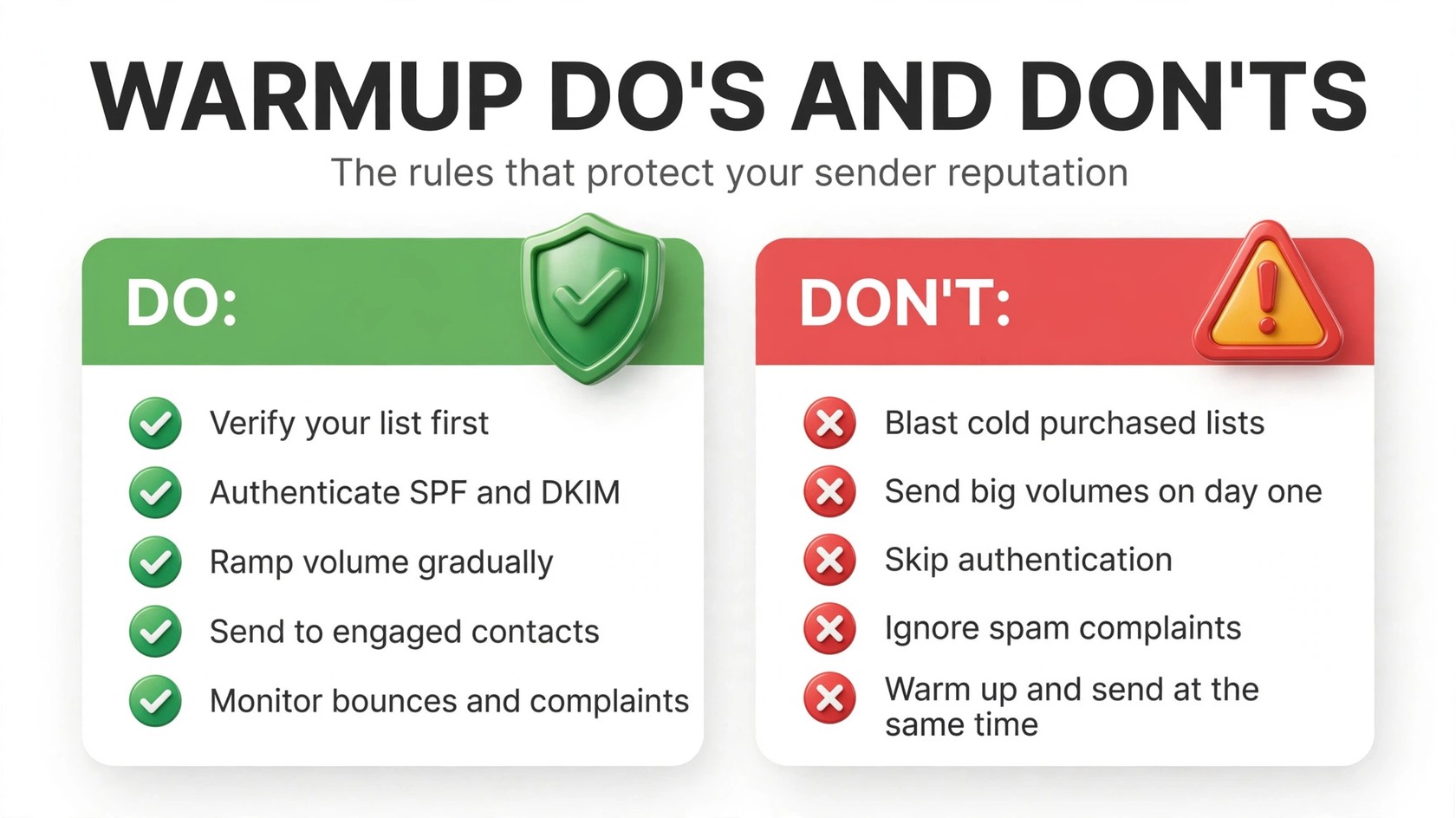
- Set up authentication first. Publish SPF, configure DKIM signing, and add a DMARC record. Confirm they’re passing before sending a single campaign email.
- Verify your list before warming up. The step most people skip, and the most damaging one to skip. Warmup only works if your early sends land cleanly. Run your list through PureListVerifier first to strip out invalid, disposable, and risky addresses (see how verification works), or read our explainer on what email verification is.
- Start with your warmest contacts. Send first to people most likely to engage, recent customers, active subscribers, colleagues. Their opens and replies are the positive signals your domain needs.
- Increase volume gradually. Grow in steady, modest increments across several weeks.
- Keep content clean. Send normal, useful emails. Avoid spammy trigger words, URL shorteners, image-only emails, and heavy promotional formatting, anything likely to get marked as spam.
- Monitor everything. Watch bounces, complaints, and placement (inbox vs. promotions vs. spam). If metrics worsen as you ramp, slow the ramp instead of pushing through, and make sure you’re not on any email blacklists.
How to warm up a new IP address
Warming up a new IP is similar in spirit but different in practice. Your domain may already have reputation, but the IP is an unknown quantity, and providers score domain and IP reputation separately, so a great domain can’t fully carry a cold IP.
- Throttle at the start. Limit early sends to your most engaged segments, recent openers and clickers. Many senders split traffic: the warmest engagement goes through the new IP while bulk continues on the old infrastructure, then the balance shifts over.
- Segment by engagement, not by list. Send to your best-performing recipients first and fold in less-engaged segments only as volume grows.
- Don’t change total volume abruptly. If your domain normally sends a certain daily volume, don’t suddenly triple it on the new IP, spread the migration gradually.
Practical note: most small and mid-size senders use provider-managed shared IPs, where IP warmup isn’t their job. You actively manage warmup when you have a dedicated IP or your own infrastructure. If open rates crater during a migration, the cause may be reputation rather than content, our guide on what to do when open rates drop suddenly helps you diagnose it.
Warmup tools and warmup pools: what they are
You’ve probably seen services promising to “automatically warm up” your inbox. Automated warmup services connect to your mailbox and exchange emails with a network of other participating inboxes, which open your emails, reply to them, and rescue them from spam. Warmup pools are the communities of inboxes behind those services.
The honest assessment: these tools can help, especially for cold-outreach inboxes, but they’re no substitute for real engagement from real recipients. Mailbox providers keep improving at distinguishing artificial engagement from genuine human behavior. Treat a warmup tool as a supplement to a proper ramp, authenticated domain, verified list, genuine sends to engaged contacts, not a replacement. And never pair warmup-tool traffic with a reckless cold-blast campaign; the blast will undo whatever the tool built.
6 mistakes that ruin an email warmup
Most warmups fail from one of these self-inflicted wounds:
- Sending to an unverified list. Mistake number one by a wide margin. Cold outreach lists bounce hard, addresses change jobs, go stale, or never existed. Teams running cold outreach with scraped lists learn this the hard way. Every hard bounce during warmup is a vote against your reputation. Verify first.
- Starting at full volume. The entire point of warmup is the ramp. Sending your full list on day one isn’t warming up, it’s a cold blast with extra steps.
- Ramping too aggressively. Jumping from a few hundred to tens of thousands overnight reads as erratic. Smooth, moderate increments are what providers reward.
- Skipping authentication. SPF, DKIM, and DMARC are table stakes. A new domain sending bulk mail without them is exactly the profile spam filters target.
- Ignoring early warning signs. Rising bounces, a complaint spike, or mail landing in spam are signals to slow down and clean the list, not to push through.
- Blasting cold campaigns during warmup. You can’t build reputation with one hand and burn it with the other. Keep cold outreach modest and well-targeted while the domain is warming.
Warmup and list hygiene go hand in hand
Warmup multiplies the quality of your list, it doesn’t fix a bad one. Sending gradually to a dirty list just spreads the damage over several weeks. Invalid addresses still bounce, spam traps still catch you, and disengaged contacts still ignore you (or complain).
The correct sequence is always: verify, then warm up. Verification removes invalid, disposable, catch-all, and risky addresses before they ever touch your new domain, so your warmup only generates positive signals. PureListVerifier handles bulk lists quickly, explore the features or read how to verify an email address without sending to it. Then re-verify periodically: lists decay, and a list that was clean six months ago isn’t necessarily clean today.
FAQs
What is email warmup in simple terms?
Email warmup is the practice of gradually increasing sending volume from a new domain or IP address over several weeks. It lets mailbox providers observe a history of responsible sending, authenticated mail, low bounces, positive engagement, so they build a positive sender reputation and deliver your mail to the inbox instead of spam.
How long does it take to warm up an email domain?
Typically several weeks of consistent, gradually increasing sending. There is no official timeline from any provider, it depends on list quality, consistency, authentication, and complaint rates.
Do I need to warm up a new domain if I use an email marketing platform?
Yes, for the domain. Your platform’s shared IPs are already warmed, but your sending domain is brand new and unknown to mailbox providers. Set up SPF, DKIM, and DMARC, then ramp gradually even if the platform lets you send more immediately.
What’s the difference between warming up a domain and warming up an IP?
Domain warmup builds the reputation of your sending identity; IP warmup builds the reputation of the sending server. Providers score them separately, a strong domain can’t fully carry a cold IP, and a warmed IP can’t rescue a domain with a bad history.
Should I verify my email list before warming up?
Yes, verification is step one. Invalid addresses generate bounces, which are negative signals that poison the reputation you’re building. Verify with PureListVerifier before your first warmup send.
Do automatic email warmup tools actually work?
They can help generate early engagement signals, but they’re a supplement, not a replacement: artificial engagement doesn’t carry the weight of genuine recipient behavior. Pair any tool with a real ramp to verified, engaged contacts.
What ruins an email warmup?
The fastest warmup killers are sending to unverified lists, starting at full volume, ramping too aggressively, skipping SPF/DKIM/DMARC, ignoring rising complaints, and running aggressive cold campaigns from the domain you’re warming.
How do I know my warmup is working?
Bounce rates stay low, complaint rates stay near zero, and inbox placement improves. Google Postmaster Tools shows your domain and IP reputation directly, upward trends there mean your warmup is succeeding.
The bottom line
Email warmup works because mailbox providers trust senders with a proven history, and the only way to build one is to earn it gradually: authenticate your domain, verify your list, start small, engage your warmest contacts, and ramp steadily while watching your metrics. Skip verification or rush the ramp, and you’ll spend months repairing the reputation you could have built in weeks. Ready to start on a clean foundation? Verify your list with PureListVerifier first.
