

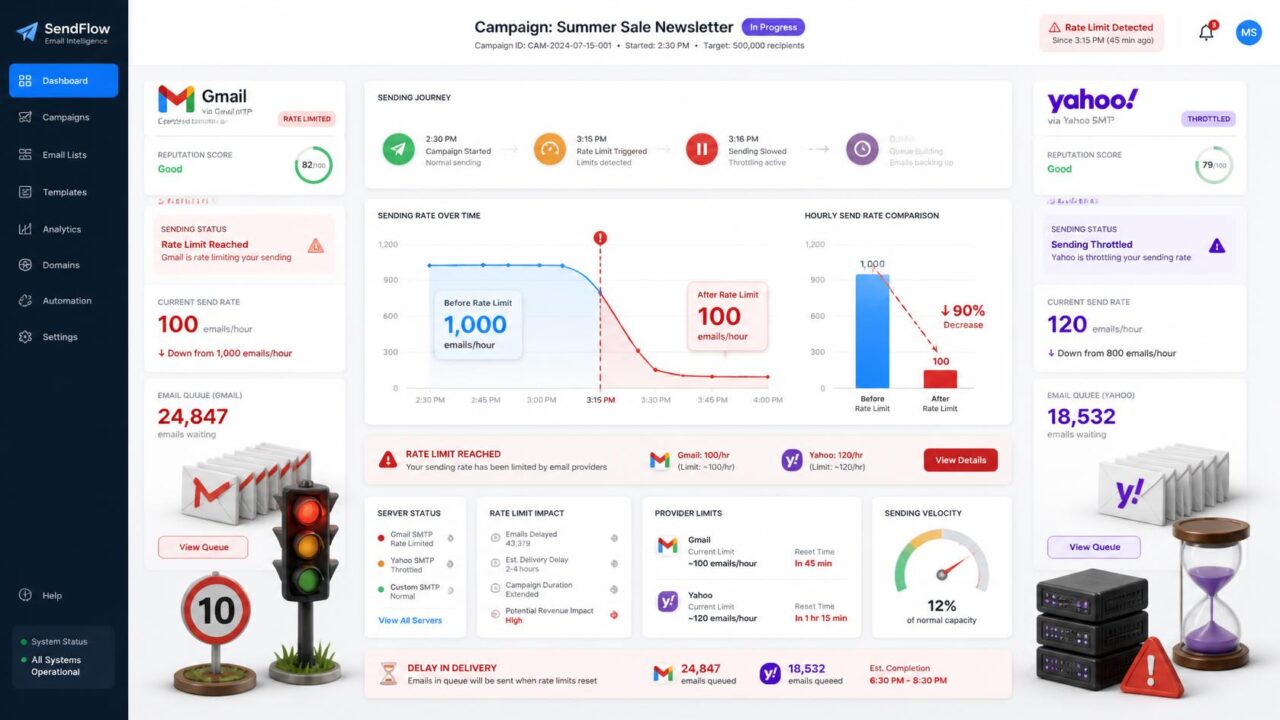
Quick answer: Gmail or Yahoo Rate-Limits Your Sending when one of these providers deliberately slows down or temporarily refuses your outgoing mail. This is usually signaled by a 4xx SMTP error, such as 421, rather than an outright rejection. Gmail’s free accounts cap out at 500 emails a day; Google Workspace allows up to 10,000 recipients per rolling 24-hour window with a maximum of 500 recipients per message. Yahoo caps free accounts at 500 messages a day with only 100 recipients per message, and further limits concurrent connections per IP. Both now apply these limits on a rolling basis, not a fixed calendar day.
What rate-limiting actually is
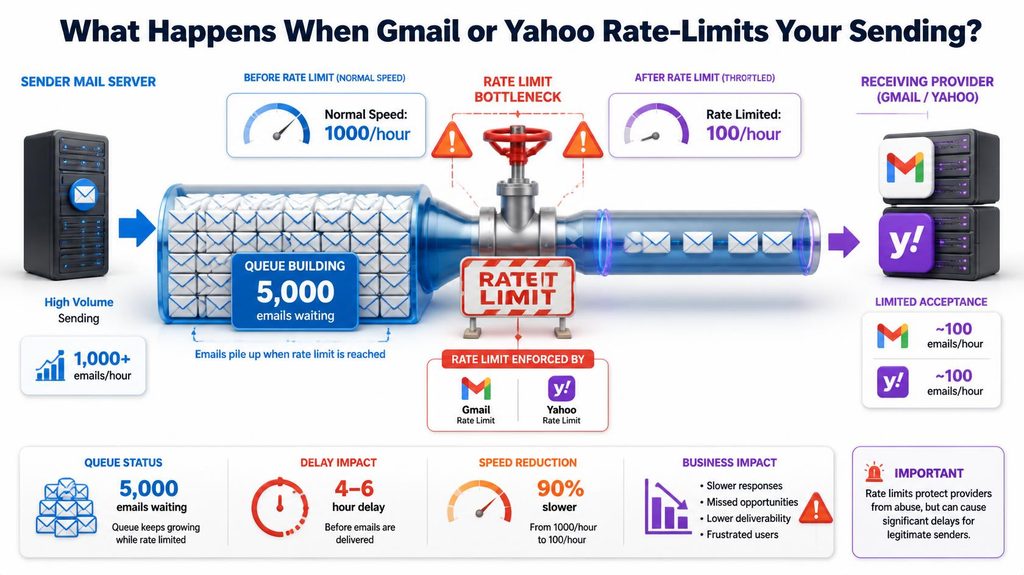
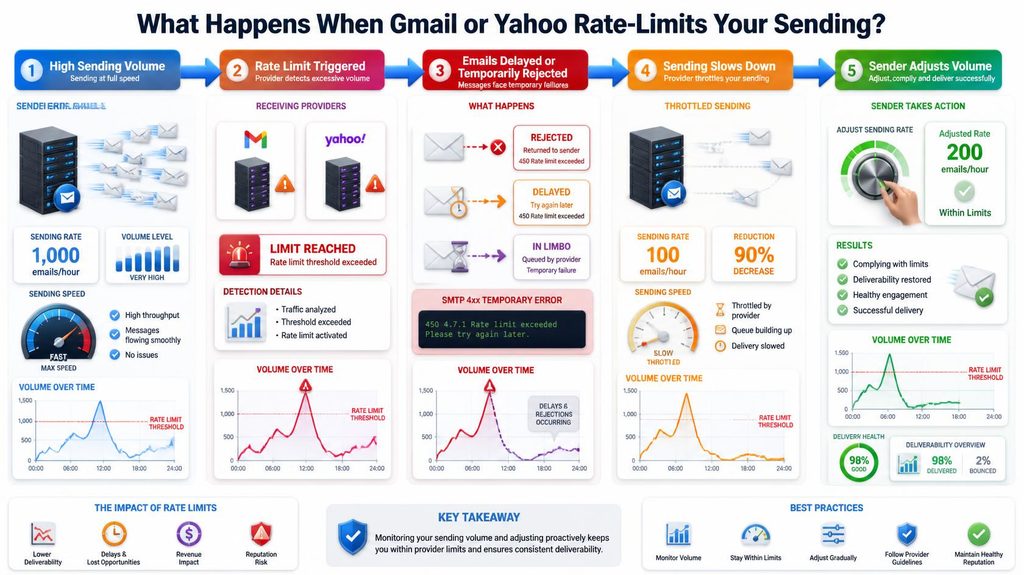
Rate-limiting is a mailbox provider deliberately slowing down or temporarily refusing mail from a specific sender, rather than blocking it outright. It’s usually signaled by an SMTP 4xx response code, most commonly 421, which means “try again later” rather than “never.” This is different from a permanent block or a hard bounce, and it’s meant to be a temporary, self-correcting speed bump rather than a lasting penalty, provided you actually slow down rather than immediately retrying at the same pace.
The actual limits, provider by provider
| Provider | Daily limit | Per-message limit | Other restrictions |
| Gmail (free/personal) | 500 emails/day | — | — |
| Google Workspace | 10,000 recipients per rolling 24 hours | 500 recipients per message | 30 messages per minute |
| Yahoo (free) | 500 messages/day | 100 recipients per message | As few as 5 concurrent IMAP connections per IP |
Notice these limits are now enforced on a rolling 24-hour basis rather than resetting at a fixed calendar time, a change both major providers moved to more recently. That means there’s no single “midnight reset” you can rely on, your available sending capacity at any given moment depends on what you’ve sent over the preceding 24 hours specifically.
Why Yahoo’s connection limit catches people off guard
Yahoo’s restriction on concurrent connections, as few as five simultaneous connections per IP address, is stricter than most senders expect and easy to hit without realizing it, especially if multiple tools or team members are sending through the same account or IP at once. This particular limit isn’t about volume at all, it’s about how many things are trying to talk to Yahoo’s servers from the same place at the same moment, which makes it a different problem to diagnose than a simple daily cap.
How this relates to Google and Yahoo’s bulk sender rules
Both providers require anyone sending more than 5,000 emails a day to authenticate with SPF, DKIM, and DMARC, a separate requirement from the rate limits above but closely related in practice. If you’re growing toward that volume, or already past it, rate-limiting issues often show up alongside authentication gaps, since both are part of the same broader set of bulk sender requirements these providers now enforce.
What actually triggers rate-limiting beyond raw volume
- A sudden spike in volume from an account or domain with a quiet recent sending history, even if it’s under the stated daily cap.
- A high bounce rate on recent sends, since providers watch bounce patterns as a reputation signal separate from raw volume. See why emails bounce for how this connects to list quality specifically.
- A rising spam complaint rate, which can trigger throttling even at moderate volume.
- Sending from a brand new account or domain with no established history at all, which providers treat cautiously by default regardless of how carefully you’re sending.
How to avoid it
- Know your actual limits for the specific account type you’re using, free Gmail, Google Workspace, or Yahoo, since they differ meaningfully.
- Ramp up gradually on a new account or domain rather than sending at full anticipated volume immediately, the same logic behind warming up a new sending domain.
- Keep bounce and complaint rates low, since these compound with volume to trigger throttling faster than volume alone would.
- Spread sending across the day rather than sending everything in one large burst, particularly if you’re anywhere near a provider’s stated per-minute or per-connection limits.
- Use a proper sending platform for real volume rather than a personal Gmail or Yahoo account, since these consumer-tier limits are intentionally restrictive and aren’t designed for genuine bulk sending.
Does rate-limiting cause lasting damage?
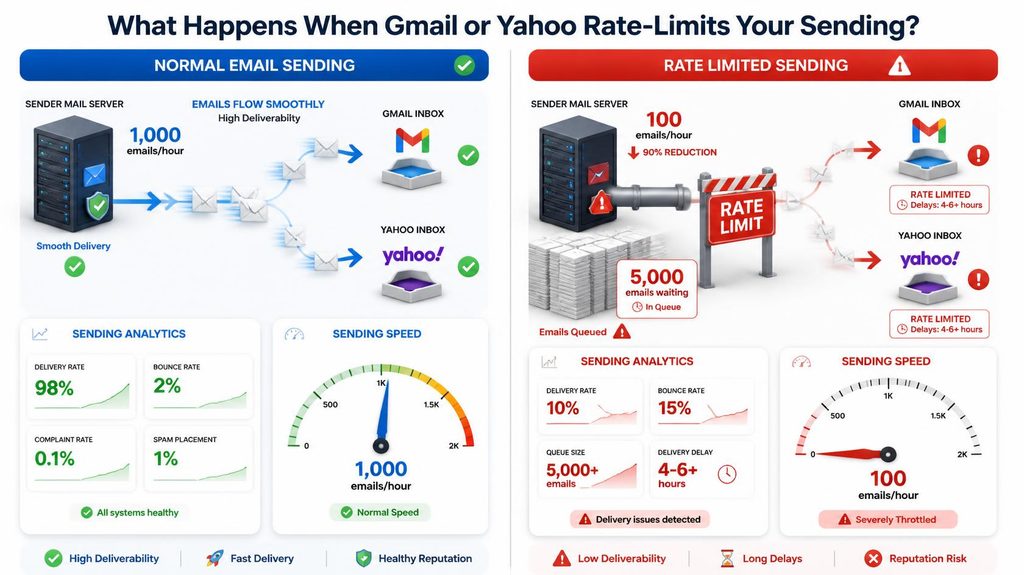
Not usually, if you respond to it correctly. A single rate-limiting event that you back off from and don’t repeatedly trigger tends to resolve on its own within the rolling window. Repeatedly hitting limits, or continuing to send at the same pace despite 4xx responses, is what turns a temporary speed bump into a longer-term reputation problem, since it signals to the provider that you’re not adjusting to feedback they’ve already given you.
Why list quality matters even more once you’re near a rate limit
Rate limits and list quality interact in a way that’s easy to overlook: sending to a list with a meaningful share of dead or invalid addresses effectively wastes part of your already-limited daily sending capacity on mail that was never going to be delivered anyway. If you’re capped at 500 sends a day on a free account and 10% of your list is stale, you’re spending a tenth of that scarce daily allowance on addresses that generate bounces rather than reaching real people, bounces that then further damage the reputation signals that determine whether you get rate-limited even more aggressively going forward. Keeping a list clean matters everywhere, but it matters disproportionately more when you’re already operating under a strict sending cap.
Third-party sending platforms versus consumer email accounts
A meaningful number of rate-limiting complaints trace back to businesses trying to run real marketing or outreach volume through a personal or basic business Gmail or Yahoo account, tools genuinely designed for individual human correspondence, not bulk sending. Dedicated email service providers and transactional sending platforms are built with much higher volume tolerances, dedicated IP options, and infrastructure specifically designed to maintain deliverability at scale, precisely because they’re built for this use case rather than adapted to it. If you’re regularly bumping against Gmail or Yahoo’s consumer-tier limits, that’s less a problem to work around and more a signal you’ve genuinely outgrown the tool you’re using.
How to tell rate-limiting apart from other delivery problems
Rate-limiting has a specific signature that’s worth learning to recognize, because treating it like a different problem entirely can make things worse. Look for a 4xx-series SMTP code, especially 421, rather than a 5xx permanent failure code. Rate-limiting also tends to show up as delayed rather than outright failed delivery, mail that eventually goes through once you slow down, rather than a hard bounce that never resolves. And it typically correlates with a recent change in your sending pattern, a volume spike, a new domain, or a burst after a period of inactivity, rather than appearing at a steady, unchanged sending rate.
What happens if you ignore the warning and keep sending
Continuing to send at the same pace despite repeated 4xx responses is where a temporary, self-correcting speed bump can turn into something more serious. Providers interpret ignored throttling signals as a sign the sender either isn’t monitoring their own delivery or is deliberately disregarding feedback, either of which lowers trust further and can extend how long normal sending capacity takes to return. The correct response to a 421 is always to slow down and retry later, never to immediately resend at the same volume.
Practical sending pace guidelines to stay under the radar
- New domains or IPs: start well below any provider’s stated cap, often just a few dozen emails on day one, increasing gradually over two to four weeks.
- Established senders resuming after a gap: treat a return after weeks of inactivity similarly to a new domain, ramping back up rather than resuming at full previous volume immediately.
- High-volume Workspace or business accounts: stay meaningfully under the stated per-minute and per-message caps rather than sending right up to the documented limit, since real-world enforcement can be less forgiving than the published number suggests.
- Any account after a spike in bounces or complaints: voluntarily reduce volume for a few days even without an explicit rate-limit signal yet, since these are leading indicators of throttling that’s likely coming.
A quick reference to keep on hand
If you only remember one thing from this, remember the 421 code, that’s the specific signal telling you to slow down rather than push through. Everything else, ramping up gradually, keeping bounce and complaint rates low, moving to a proper sending platform once you outgrow consumer limits, exists to prevent you from seeing that code in the first place, or to help you recover quickly and cleanly on the rare occasion you do.
Frequently asked questions
What is the Gmail daily sending limit?
500 emails a day for free personal Gmail accounts. Google Workspace accounts allow up to 10,000 recipients per rolling 24-hour period, with a maximum of 500 recipients per single message.
What is the Yahoo daily sending limit?
500 messages a day for free accounts, with a maximum of 100 recipients per message, and a stricter limit of as few as five concurrent connections per IP address.
What does a 421 error code mean?
It’s the most common signal of throttling, meaning the receiving server is temporarily refusing or delaying your mail and asking you to try again later, rather than rejecting it permanently.
Does rate limiting damage your sender reputation permanently?
Not from a single, isolated event if you back off appropriately. Repeatedly triggering it, or ignoring the 4xx responses and continuing at the same pace, is what turns it into a longer-term problem.
How can you tell rate-limiting apart from a permanent bounce?
Rate-limiting shows a 4xx-series code, most often 421, meaning “try again later,” rather than a 5xx permanent failure. It also tends to correlate with a recent volume spike or sending pattern change rather than appearing at a steady, unchanged rate.
What should you do the moment you see a 421 error?
Slow down and retry later rather than resending immediately at the same volume. Continuing to push at the same pace despite the warning is what turns a temporary throttle into a longer reputation problem.
Where to start
Check which limits actually apply to your account type, and if you’re regularly bumping against them, that’s usually a sign you’ve outgrown a personal email account for the volume you’re actually sending. Whatever platform you send from, keeping your bounce rate low reduces how easily you trigger throttling in the first place, PureListVerifier catches the dead addresses driving that bounce rate before they cost you.
