

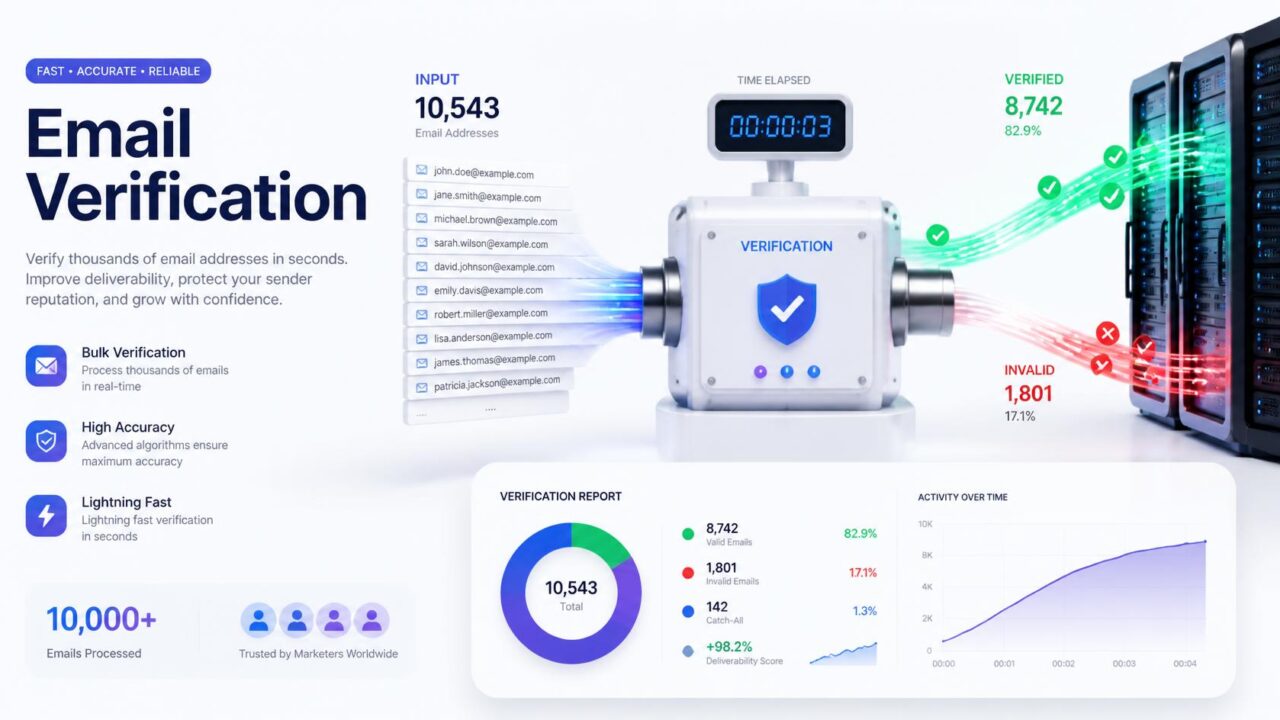
Quick answer: how long it takes to verify a large email list depends heavily on the provider, with published processing speeds ranging from roughly 100,000 emails an hour on the slower end to around 2 million emails an hour on the fastest. In practice, that means a list of 100,000 addresses can take anywhere from about 3 minutes to just over an hour, depending entirely on which tool you’re using and how quickly the destination mail servers themselves respond.
Real published processing speeds, for comparison
| Provider | Published speed | Time for 100,000 addresses (approx.) |
| Emailable | ~2 million/hour | ~3 minutes |
| EmailListVerify | Up to 1 million/hour | ~6 minutes |
| Bouncer | ~180,000/hour | ~33 minutes |
| MillionVerifier | ~180,000/hour (3,000/minute default) | ~33 minutes |
| VitaMail | 100,000+/hour | ~60 minutes |
These are published rates from each provider, and actual performance on your specific list can vary based on how many different mail servers you’re checking against and how responsive they are at that moment. Treat these as a general planning guide rather than an exact guarantee for any specific run.
What actually determines the speed, beyond the provider
- How many unique mail servers are involved. A list concentrated across a handful of major providers like Gmail and Outlook checks faster than one spread across thousands of small, individual company mail servers, each of which needs its own separate connection and response.
- How responsive those destination servers are. Large, well-resourced mail infrastructure tends to respond quickly and predictably. Smaller or less optimized servers can slow down the specific addresses checked against them, regardless of how fast your verification provider’s own systems are.
- Whether the provider processes in parallel. Checking many addresses simultaneously rather than one after another is what allows the fastest providers to reach speeds in the millions-per-hour range.
- Server load and rate limiting on the provider’s side. Some mail servers deliberately slow down or limit how many verification-style queries they’ll answer from the same source in a short period, which can add delay independent of your list’s size.
Does a faster check mean a less accurate one?
Not inherently. Speed mostly comes down to infrastructure and parallel processing capacity, not shortcuts in the actual checking logic. That said, it’s worth confirming a fast provider still performs the full layered check, format, domain, and mailbox-level verification, described in how email verification actually works, rather than skipping the more time-consuming mailbox check in favor of speed. A genuinely fast, genuinely thorough check is entirely possible, but it’s worth confirming rather than assuming either quality automatically follows from the other.
What to actually expect for common list sizes
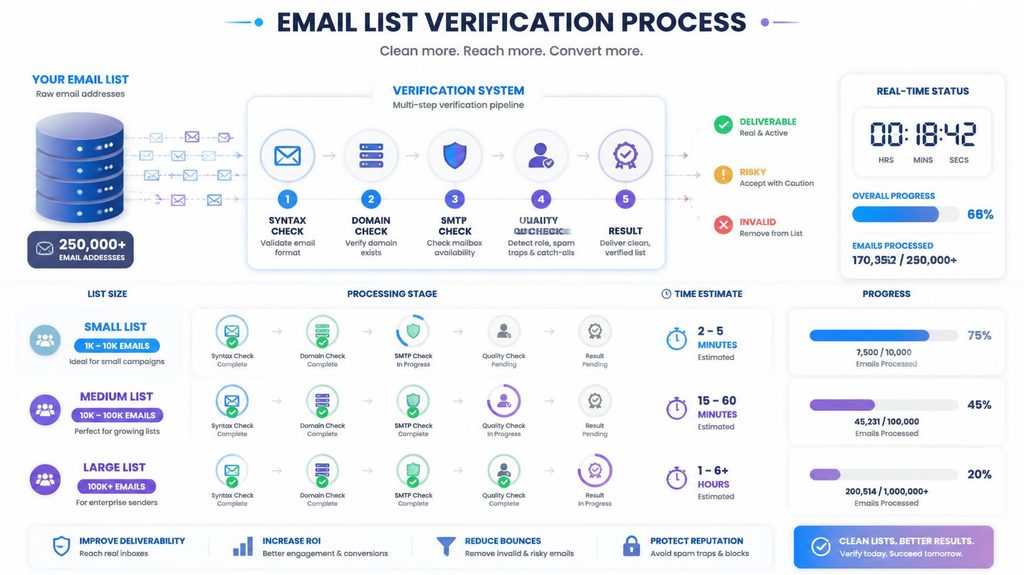
- Under 10,000 addresses: typically a few minutes regardless of provider, rarely worth worrying about.
- 10,000 to 100,000 addresses: anywhere from a few minutes to under an hour on most providers.
- 100,000 to 1 million addresses: could range from under 10 minutes on the fastest providers to several hours on slower ones, this is where provider choice starts to genuinely matter for your workflow.
- Over 1 million addresses: worth checking directly with your provider about expected turnaround, since very large jobs sometimes queue or process in batches rather than as one continuous run.
Should you split a huge list into smaller batches?
It rarely speeds up the actual processing, since most bulk verification tools already handle large uploads efficiently on their end. Where splitting can genuinely help is workflow, not raw speed, letting you start acting on results from an earlier batch while a later one is still processing, or isolating a specific segment you need cleaned urgently rather than waiting on the entire list to finish together.
Why the first verification run on a new list often takes longer than expected
A list you’re verifying for the first time, especially one built up over months or years without regular checking, tends to process more slowly than a list you clean routinely, even at the same size. Older, never-verified lists typically contain a higher proportion of addresses at unusual or less common mail servers, more retries on ambiguous domains, and more edge cases the verification system has to work through carefully rather than resolve quickly against a well-known major provider. If your very first bulk verification run takes noticeably longer than the benchmarks above suggest, that’s not necessarily a problem with the tool, it’s often a reflection of how long it’s actually been since that list was properly checked.
Why regular, smaller verification runs beat one huge annual cleanup
Beyond the pure time math, there’s a practical case for verifying in smaller, more frequent batches rather than saving up a massive list for one big annual clean. A list checked monthly or quarterly stays consistently smaller and faster to process each time, avoids the compounding effect of accumulated decay described above, and catches problem addresses while they’re still a small percentage of your overall list rather than after they’ve built up into a much larger cleanup project. Frequent, smaller verification runs also fit more naturally into an ongoing sending workflow than one large, disruptive project scheduled around whenever someone remembers to do it.
What happens to your list while it’s processing
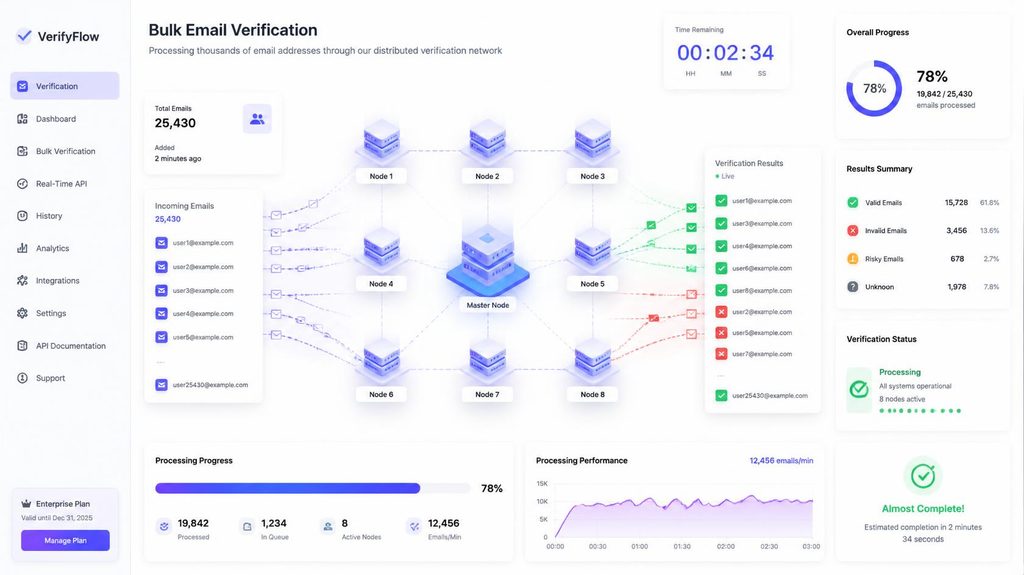
Most bulk verification tools process large uploads asynchronously, meaning you upload the file, the system works through it in the background, and you’re notified or can check back once it’s complete, rather than needing to keep a browser tab open for the entire duration. This matters more than it might seem for very large lists: a job that takes 45 minutes doesn’t need to occupy your afternoon, you can queue it and move on to other work while it runs. Some providers also let you export partial results as they complete, which can be useful if part of your list is more time-sensitive than the rest.
How verification speed compares to your actual sending speed
It’s worth putting verification time in context: even a “slow” verification run at 100,000 emails an hour is still dramatically faster than you could ever safely send to that same list, given sending limits like the roughly 500-per-day caps on free Gmail and Yahoo accounts covered in what happens when Gmail or Yahoo rate-limits your sending. In practice, verification is rarely the actual bottleneck in your overall list-to-inbox timeline, sending capacity and warm-up pace almost always take far longer than the checking step that precedes them.
A quick planning framework for your next big list
- Check your provider’s published processing speed rather than assuming, since this varies by several multiples between tools.
- Estimate a rough time window using your list size against that published rate, treating it as an approximation rather than an exact figure.
- Plan for asynchronous processing on large lists, queuing the job rather than blocking your schedule around it.
- Build in buffer time before a launch or campaign deadline, especially for a first-time run on a list whose exact composition of mail servers you don’t already know.
Why processing speed shouldn’t be the only factor in your decision
It’s tempting to pick a verification provider based purely on the fastest published speed, but for most senders this is the wrong optimization target. Unless you’re regularly processing lists in the hundreds of thousands or millions on a tight deadline, the difference between a 15-minute check and a 90-minute check rarely affects your actual workflow in any meaningful way. Accuracy, pricing, how the tool handles catch-all domains, and how well it integrates with your existing platform all tend to matter more day to day than shaving additional minutes off a process that already fits comfortably inside any reasonable timeline.
A quick example to put these numbers in perspective
Say you’re preparing a 250,000-address list for a product launch email next week. On a faster provider processing around a million emails an hour, that’s roughly 15 minutes of actual checking time, a non-issue against any reasonable deadline. On a slower provider at 180,000 an hour, it’s closer to an hour and a half, still comfortably fast enough to fit into a launch week timeline as long as you’re not starting the check the morning of. Either way, the checking step itself is rarely what should determine your launch timing, the bigger constraints are almost always how gradually you can safely ramp up sending to that list afterward.
Frequently asked questions
Does list size affect verification accuracy?
Not directly. Accuracy depends on the quality of the checking process itself, not how many addresses are being checked at once. A well-built check performs the same way whether it’s processing 100 addresses or a million.
Why do some addresses take longer to check than others?
Because the delay mostly comes from the destination mail server’s own response time, which your verification provider doesn’t control. Large, well-resourced servers respond faster than smaller, less optimized ones.
Can you speed up verification by splitting your list into smaller batches?
Not usually for raw processing speed, since most tools already handle large files efficiently. Splitting helps more with workflow, letting you act on part of your list sooner, than with total processing time.
What happens if verification times out on a huge list?
Reputable providers are built to handle large files without timing out, often processing very large lists in the background and notifying you when results are ready, rather than requiring you to keep a browser tab open the whole time.
Does verification run in the background, or do you have to wait on the page?
Most bulk verification tools process large files asynchronously in the background, notifying you or letting you check back once complete, so you don’t need to keep a browser tab open the entire time.
Is verification usually the slowest part of getting a list ready to send?
Rarely. Even a slower verification run typically finishes far faster than you could safely send to that same list, given daily sending caps and gradual domain warm-up requirements, which usually take much longer than the checking step itself.
Where to start
If speed genuinely matters for your workflow, ask any provider you’re considering for their actual current processing rate rather than assuming. PureListVerifier processes bulk lists efficiently, so checking even a large list doesn’t have to become a bottleneck before you can send.
